API Tokens & Webhooks
Create Sanctum API tokens and configure outbound webhook endpoints for integrations.
User goal
Automate scans and issue sync via API v1; receive event notifications via webhooks.
- Tier
- Pro+
- Nav label
- API & Webhooks
- Route
- /api/tokens
- Gates
- —
Prerequisites
- api_access tier feature
- API documentation for v1 endpoints
QA focus
- Tokens scoped to creating org only
- Revoked token returns 401
- Webhook deliveries logged and retryable
Overview
API tokens and webhooks let you automate scans, sync issues, and receive event notifications for your organization (Pro+ with API access).
What you get
- Org-scoped API tokens with abilities you choose
- Outbound webhook endpoints for configured events
- Signed payloads and a delivery log with retry where available
- Rate limits that follow your subscription tier
How it works
- Create a token once, copy the secret immediately (it is not shown again), then call API v1 with a Bearer header
- Tokens only access the creating org’s data; revoked tokens return 401
- Register an HTTPS webhook URL, select events, and inspect deliveries under the endpoint’s log
Common issues & false alarms
- Token shown once on create — cannot recover plaintext
- Local webhook testing needs tunnel (ngrok) or log driver
Interactive guide
Step of
What to do
Where to find it
Expected (pass)
Negative cases
Tips
Screenshot pending capture
All steps (reference)
-
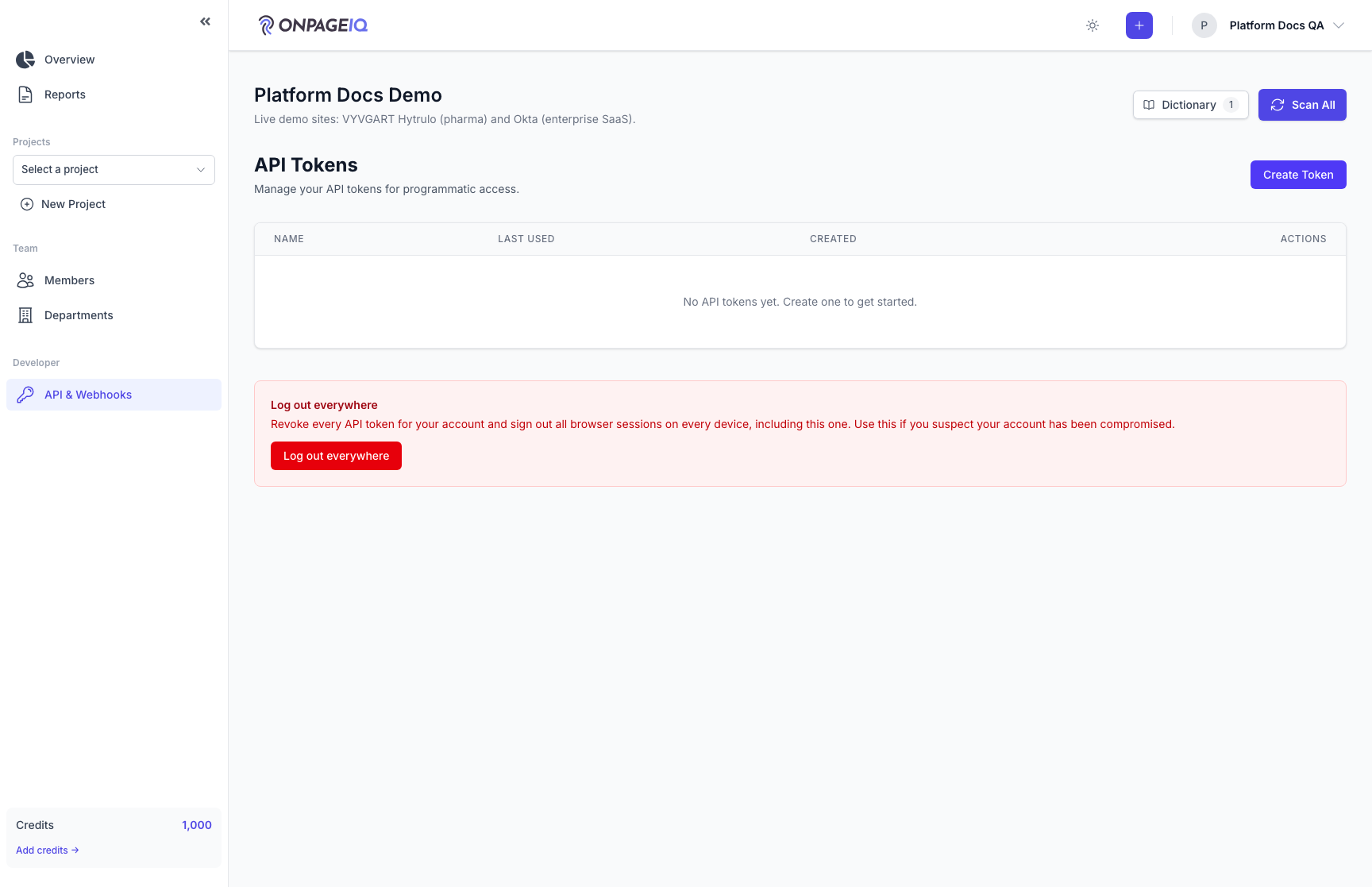
Step 1. Create API token
Generate a token with abilities; copy immediately — secret not shown again.
What to do: Open /api/tokens → Create token → copy value
Where: api.tokens
Expected (pass)
- Token works on GET /api/v1/... with Bearer header
- Token list shows name and last used (not secret)
Negative cases (must fail safely)
- Free tier → route blocked or upsell
-
Step 2. Call API v1
Verify a read endpoint returns only current org data.
What to do: curl /api/v1/projects with Authorization: Bearer {token}
Where: api.tokens
Expected (pass)
- 200 with org projects only
- Cross-org ID in path → 404
Negative cases (must fail safely)
- Missing token → 401
-
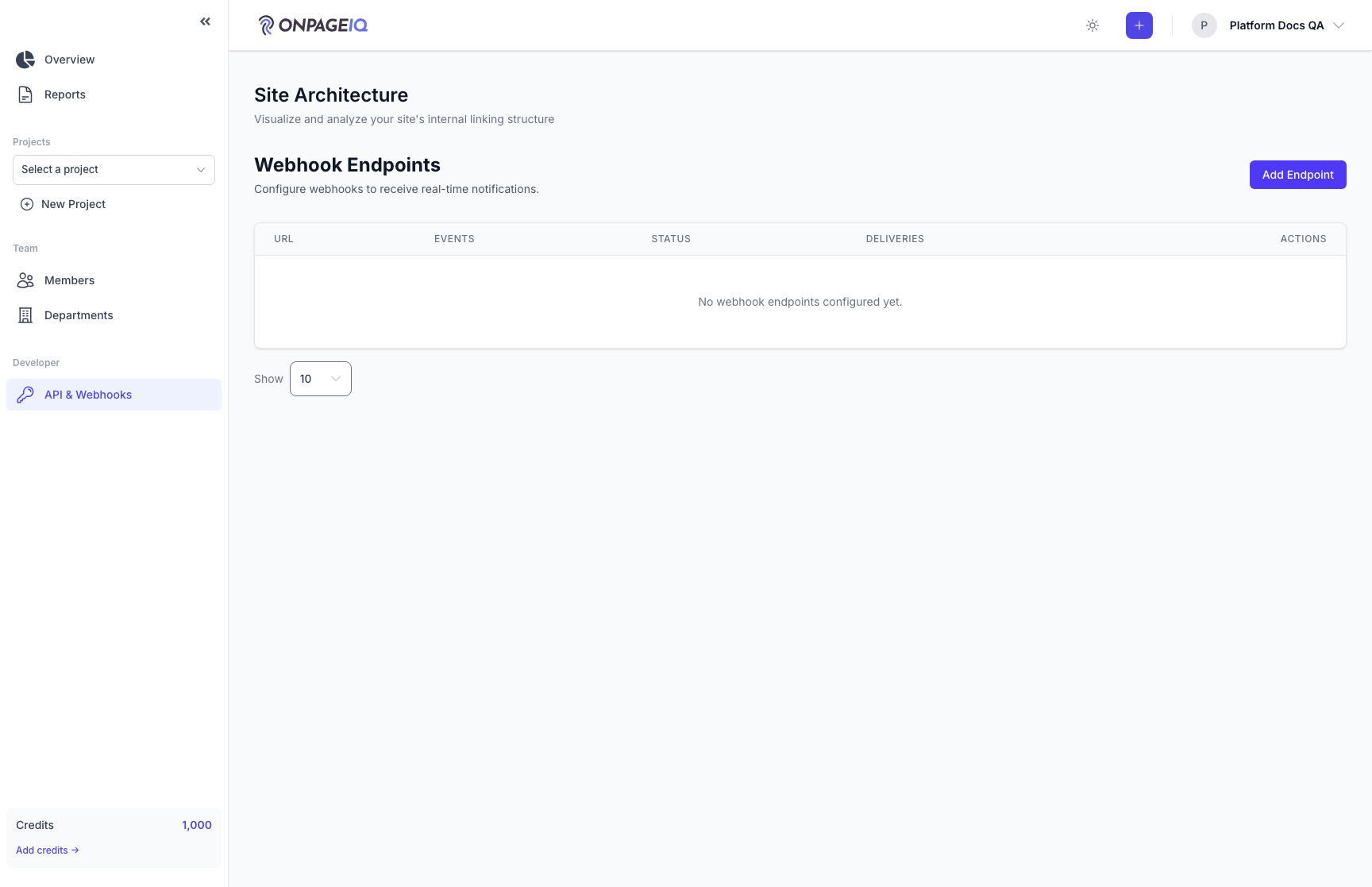
Step 3. Webhook endpoints
Register HTTPS URL to receive scan/issue events.
What to do: Open /api/webhooks → add endpoint → select events
Where: api.webhooks
Expected (pass)
- Endpoint saved with signing secret
- Test delivery or recent delivery log entry
Negative cases (must fail safely)
- Invalid URL rejected at validation
-
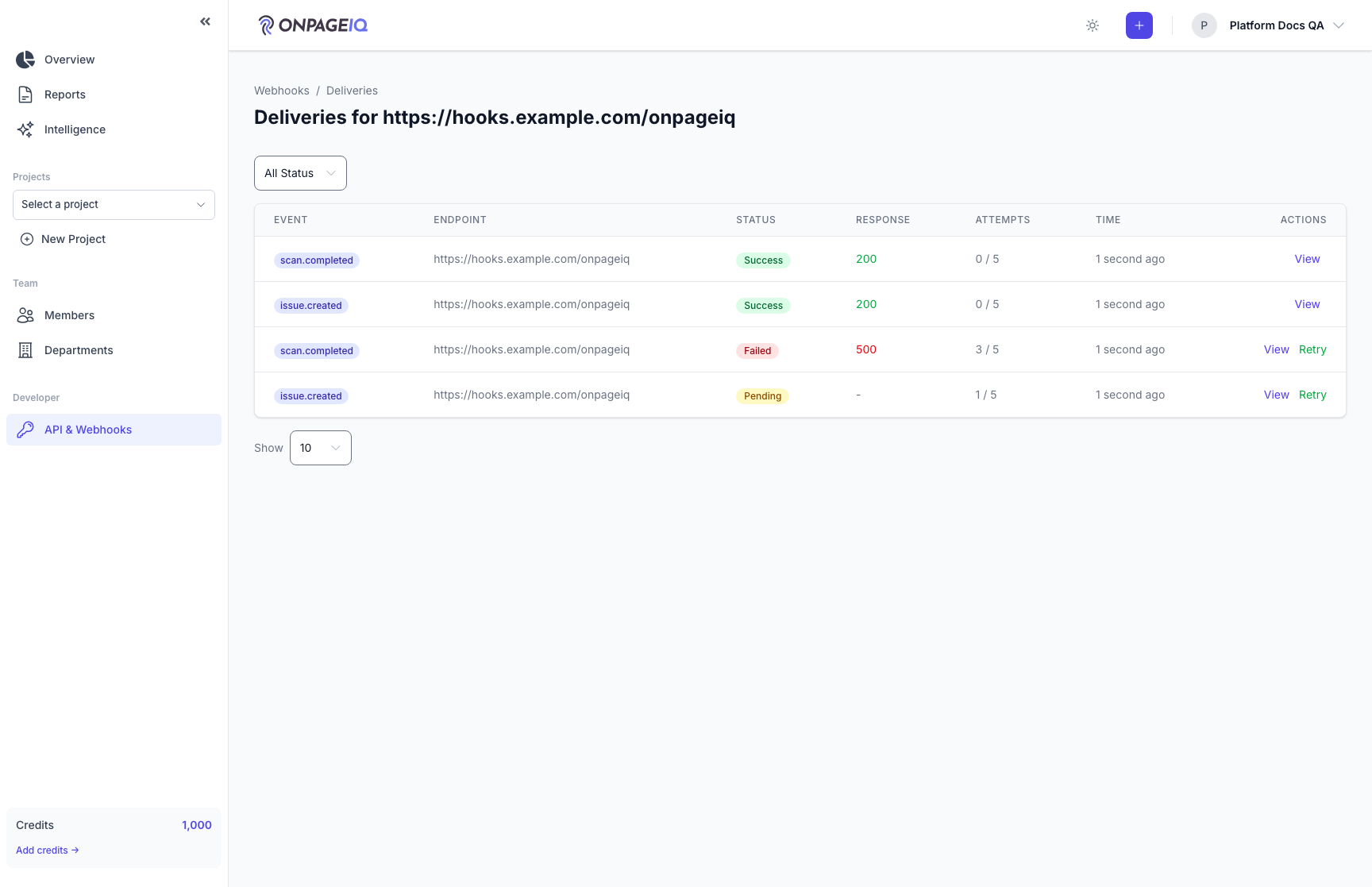
Step 4. Delivery log
Inspect webhook delivery attempts, status codes, and payloads.
What to do: Open /api/webhooks/{endpoint}/deliveries
Where: api.webhooks.deliveries
Expected (pass)
- Failed deliveries show response body snippet
- Retry action available where implemented