H1 Above the Fold
Check whether each page’s primary H1 is visible without scrolling — with annotated desktop/mobile screenshots you can trust-but-verify in SEO Audit.
User goal
Confirm H1s sit above the fold on desktop and mobile, triage false positives with notes, and fix pages that bury the heading.
- Tier
- Pro+ (rendered screenshots); heuristic “late in content” available more broadly
- Nav label
- H1 Fold
- Route
- /projects/{project}/seo?tab=fold
- Gates
- rendered-fold-measurement
Prerequisites
- seo-audit active for the org
- Rendered Performance (rendered-performance) and Rendered Fold Measurement (rendered-fold-measurement) enabled under Organization Feature Flags in Filament
- A completed Full SEO audit or Rendered Performance audit after the flags are on
- Playwright/chromium available on the worker that runs MeasureRenderedPageJob
QA focus
- Empty gallery distinguishes flags-off vs no-captures-yet vs fold-capture-failed
- Gallery and notes are org+project scoped; writes require edit_project
- Desktop and mobile cards pair for the same URL; signed screenshot URLs refresh
- Page count measured per audit is capped by config onpageiq.rendered_performance.max_urls (RENDERED_PERF_MAX_URLS)
Overview
H1 Above the Fold measures whether the primary H1 is visible in the viewport before scrolling — so you can prove fold placement with evidence instead of guessing from the HTML alone.
What you get
- Rendered mode: Playwright places the H1, draws a fold line, and stores annotated desktop and mobile screenshots
- Heuristic mode: flags H1s that appear late in the HTML when rendered measurement is unavailable
- Review on the SEO Audit H1 Fold tab (paired cards, lightbox, slide-over triage notes)
- Issues: H1BelowFold (rendered) and H1LateInContent (heuristic)
- Visibility threshold from
onpageiq.h1_fold.visibility_threshold_percent(do not hardcode the percentage)
How it works
- Enable Rendered Performance and Rendered Fold Measurement for the org, then re-run a Full audit
- Browse measured pages in the gallery; editors can triage with notes
- Cookie banners that cannot be dismissed may skew visibility — screenshots flag overlay detection when that happens
Common issues & false alarms
- Empty gallery after a Full audit → both rendered-performance and rendered-fold-measurement must be on, then re-run the audit
- “Fold capture failed” → worker/script error (check MeasureRenderedPageJob / h1_measurement_error); not the same as “pending”
- Only homepage measured historically → current pipeline fans out up to RENDERED_PERF_MAX_URLS HTML 200 pages by depth
- Cookie banners that cannot be dismissed may skew visibility — screenshots flag overlay_detected
Interactive guide
Step of
What to do
Where to find it
Expected (pass)
Negative cases
Tips
Screenshot pending capture
All steps (reference)
-
Step 1. Enable rendered fold measurement
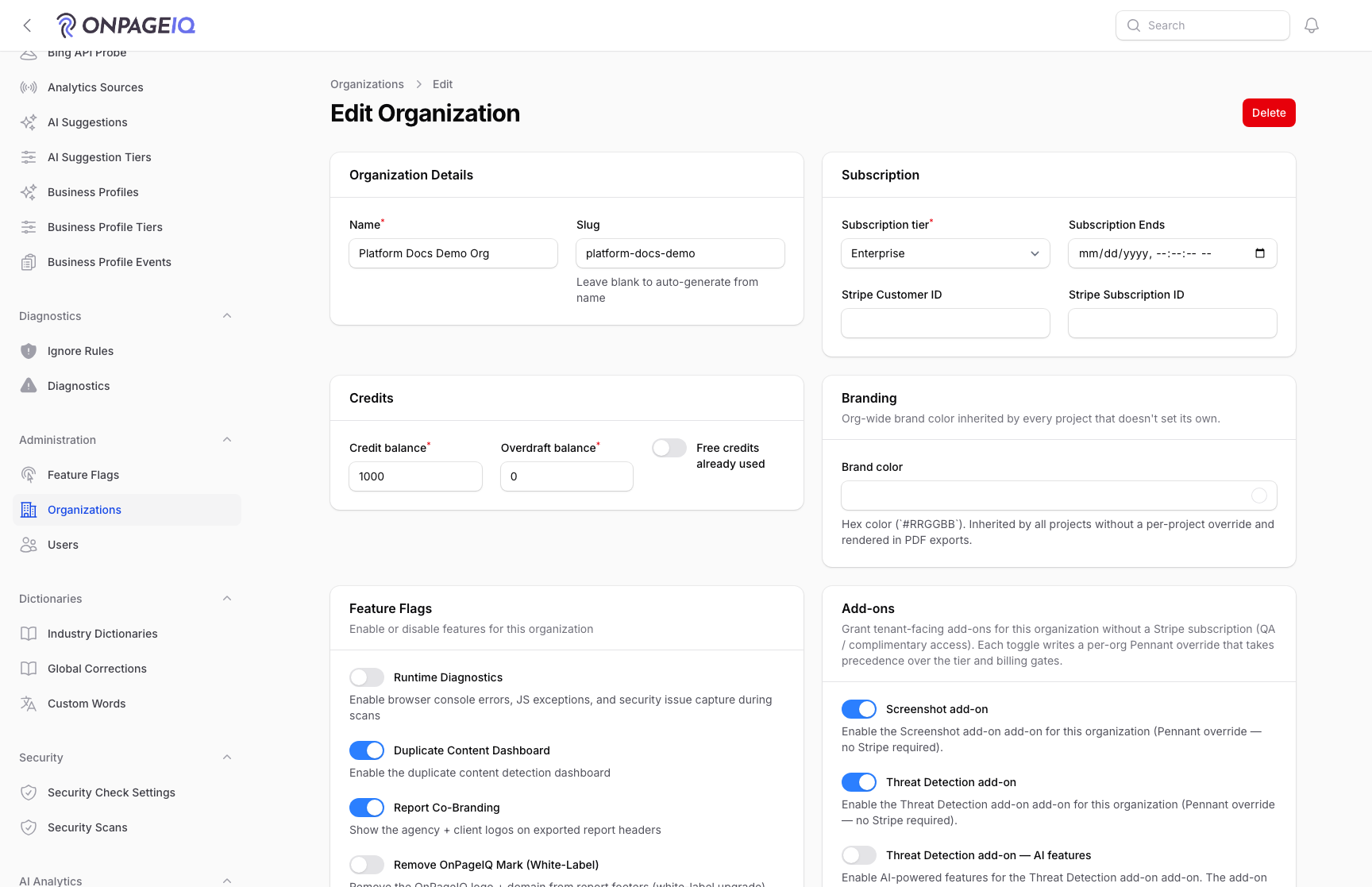
In Filament, open Organizations → Feature Flags (Viewer Flags) and turn on Rendered Performance and Rendered Fold Measurement for the org. Without both, audits will not queue fold screenshots and the gallery stays empty.
What to do: Filament → Organizations → Feature Flags → enable both flags
Where: projects.seo
Expected (pass)
- Both flags active for the org
- Gallery empty state no longer says checks are off
Negative cases (must fail safely)
- Flags off → honest “rendered page checks are off” empty state
-
Step 2. Run an audit that measures pages
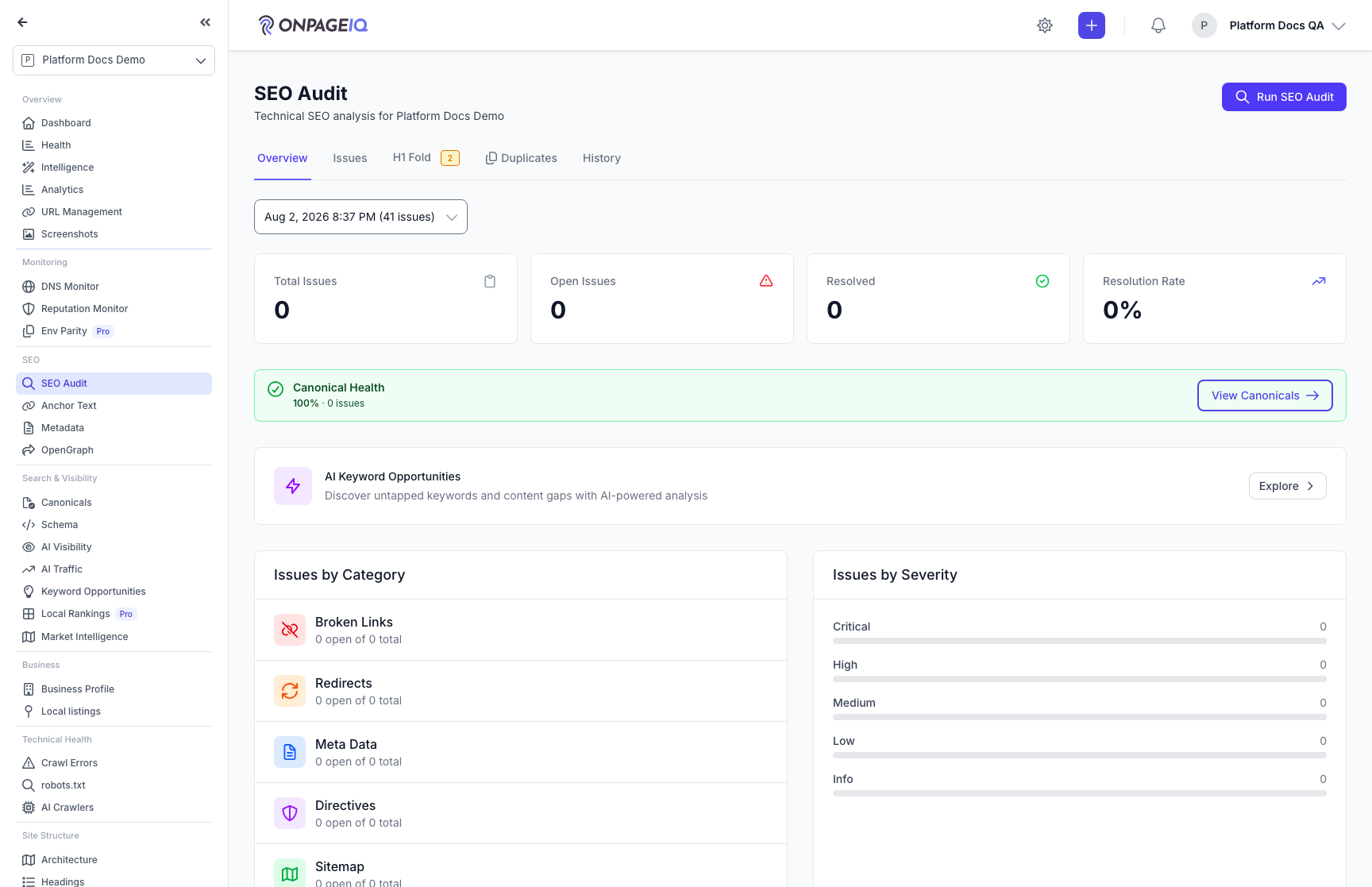
Run a Full SEO audit or a Rendered Performance audit. The worker selects HTML 200 pages (homepage first, then by depth) up to onpageiq.rendered_performance.max_urls and measures desktop + mobile fold for each.
What to do: projects.seo → Run Full / Rendered Performance audit → wait for jobs
Where: projects.seo
Expected (pass)
- MeasureRenderedPageJob runs per selected URL
- rendered_metrics rows include fold fields and screenshot paths when capture succeeds
Negative cases (must fail safely)
- Insufficient queue/Playwright → capture failed empty state with page count
-
Step 3. Browse the H1 Fold gallery
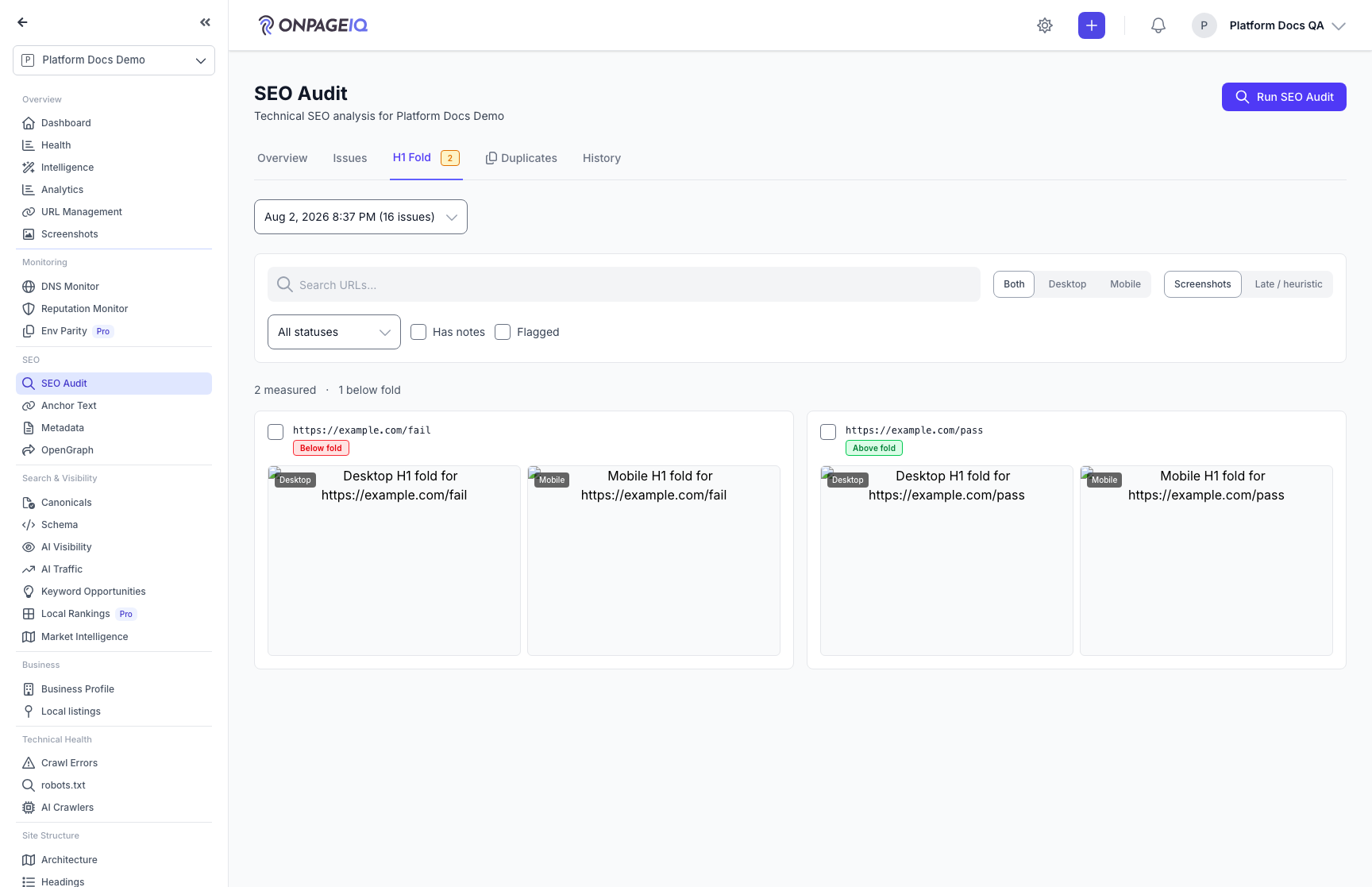
On SEO Audit, open the H1 Fold tab. Browse paired Desktop|Mobile cards, filter, paginate, open lightbox + slide-over, and deep-link from Overview chips or Issues “Open in Fold gallery”. Late/heuristic list mode covers HTML-only late-in-content findings.
What to do: projects.seo → H1 Fold (?tab=fold)
Where: projects.seo
Expected (pass)
- Paired viewports for measured URLs
- Annotated fold line + H1 box on screenshots
- Viewers read-only; editors can triage
Negative cases (must fail safely)
- Cross-org audit id → no leak of screenshots or notes
-
Step 4. Triage and fix
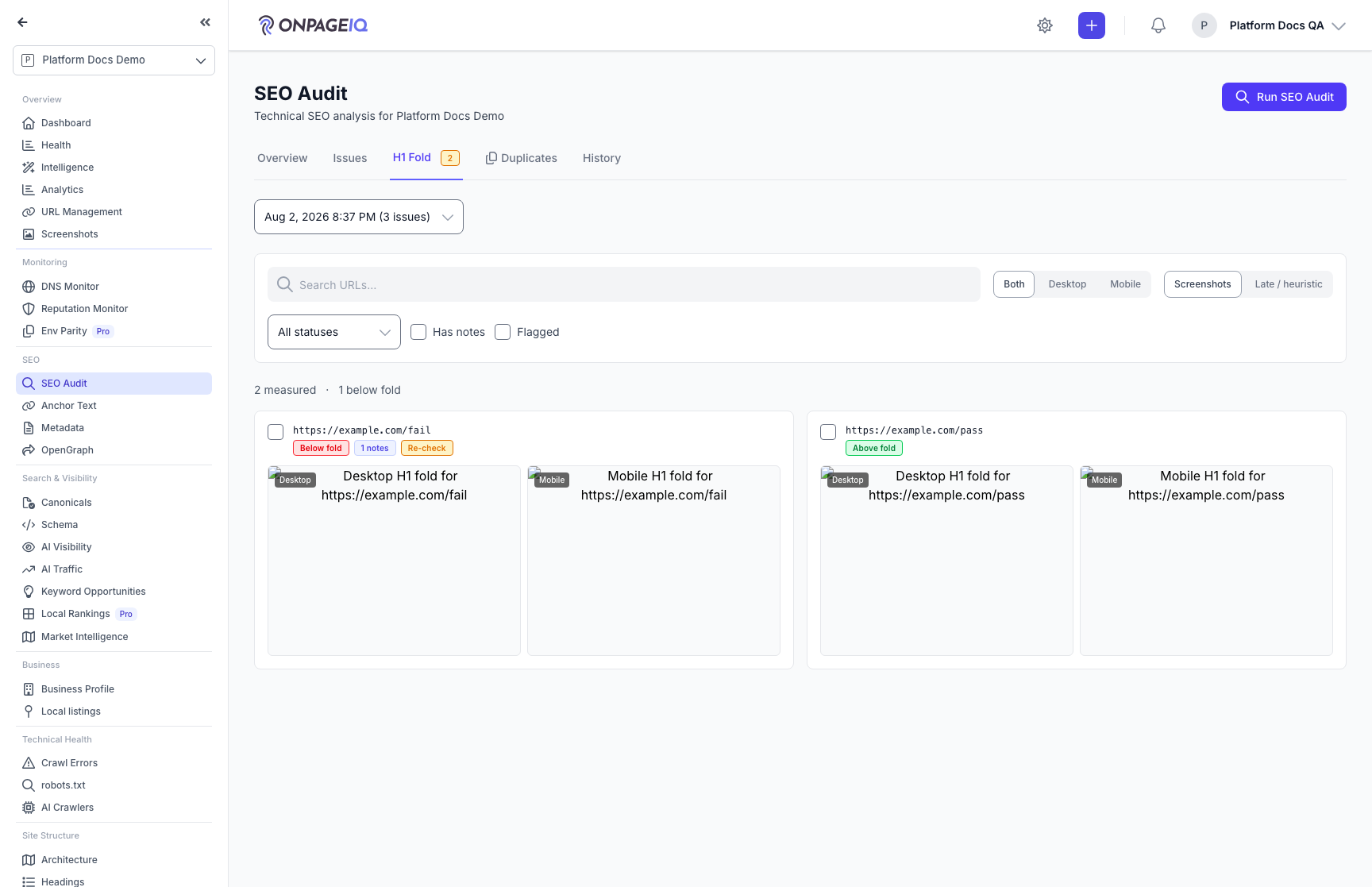
Add review notes, flag for recheck, update status, or open the URL detail H1 Fold Analysis section. Fix common causes: oversized heroes, sticky headers, promo banners above the H1, or H1 buried late in the DOM. Re-run the audit after fixes to refresh evidence.
What to do: Gallery slide-over → note / status → fix page → re-audit
Where: projects.seo
Expected (pass)
- Notes require edit_project and stay org-scoped
- Issues list H1BelowFold / H1LateInContent with viewport details
Negative cases (must fail safely)
- Viewer without edit_project → triage actions hidden/forbidden
Related guides
SEO Audit
Site-wide SEO audit dashboard with crawl status, scores, and deep-dive sub-routes.
Performance Insights
Core Web Vitals and performance metrics from crawled pages.
SEO Page Surfaces
Metadata, OpenGraph, Schema, Sitemap, Canonicals, Anchor text, robots.txt, and AI crawlers (llm.txt).
Headings Outliner Add-on
H1–H6 outline per URL with hierarchy issues and CSV/JSON/Markdown export.