Team & Departments
Invite members, assign roles, and organize departments on Team tier and above.
User goal
Collaborate with colleagues under the same org with correct permissions.
- Tier
- Team+
- Nav label
- Team
- Route
- /team/members
- Gates
- —
Prerequisites
- Organization on team_features tier
QA focus
- Invited user joins correct org only
- Role changes affect policies immediately
- Department assignment visible on member profile
Overview
Team lets you invite colleagues into your organization with roles and optional departments. Available on Team tier and above.
What you get
- Members list with roles and status
- Email invitations into this org
- Departments for grouping members (assignments and reporting)
How it works
- Requires the team_features subscription entitlement
- Members share org data; isolation is at the org boundary, not between users in the same org
- Role changes apply to permissions immediately after save
Common issues & false alarms
- Pro user sees no Team nav — expected
- Invitation email depends on mail driver in local env
Interactive guide
Step of
What to do
Where to find it
Expected (pass)
Negative cases
Tips
Screenshot pending capture
All steps (reference)
-
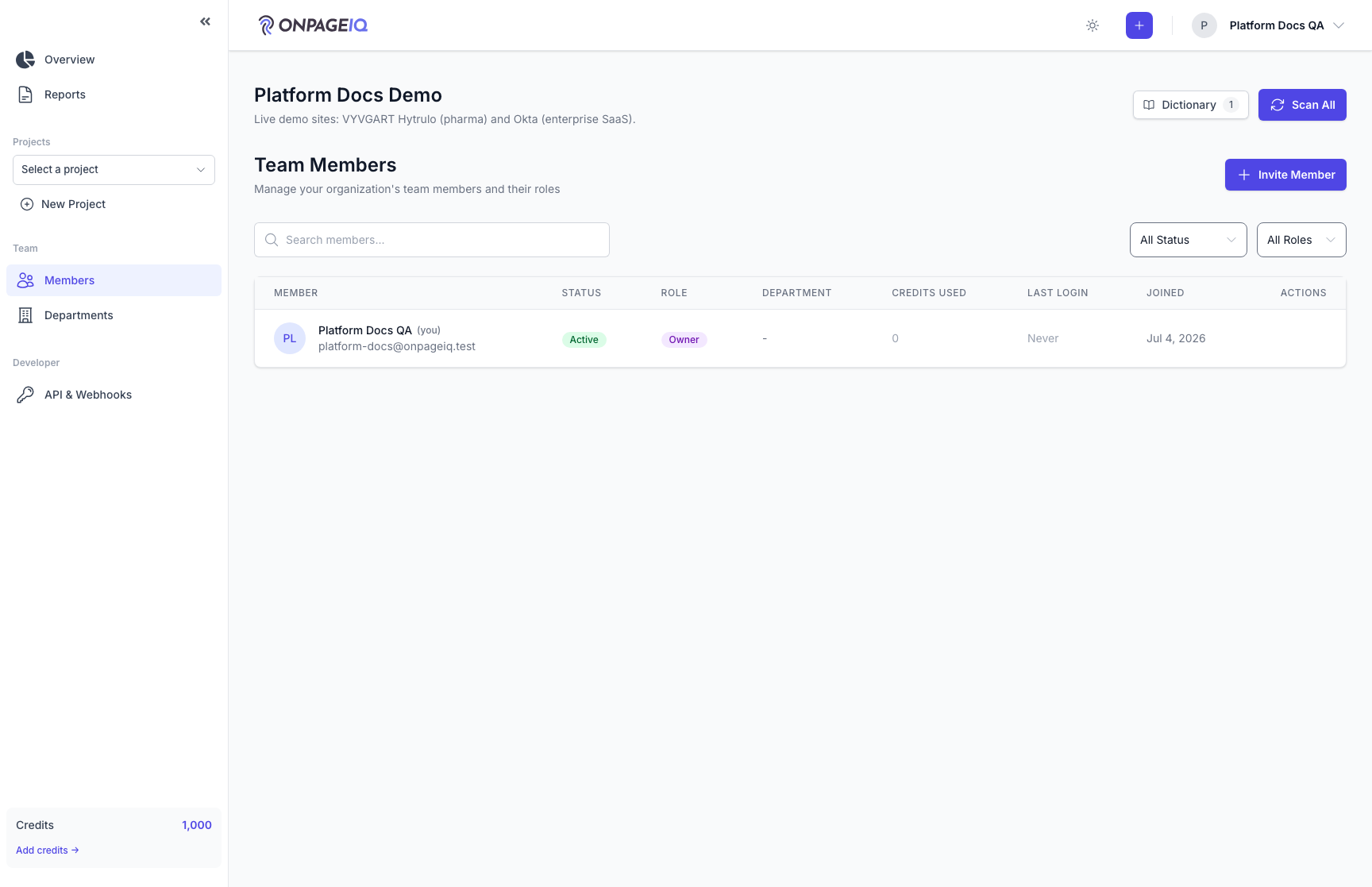
Step 1. Members list
View all users in the organization with roles and status.
What to do: Open /team/members as team-tier admin
Where: team.members
Expected (pass)
- All org members listed
- Invite button visible for authorized users
Negative cases (must fail safely)
- Free/Pro user → Team nav hidden or route 403
-
Step 2. Invite a member
Send invitation email; invitee registers or accepts into this org.
What to do: Click Invite → enter email → send
Where: team.members
Expected (pass)
- Invitation record created
- Invitee cannot access other orgs after join
Negative cases (must fail safely)
- Duplicate invite handled gracefully
-
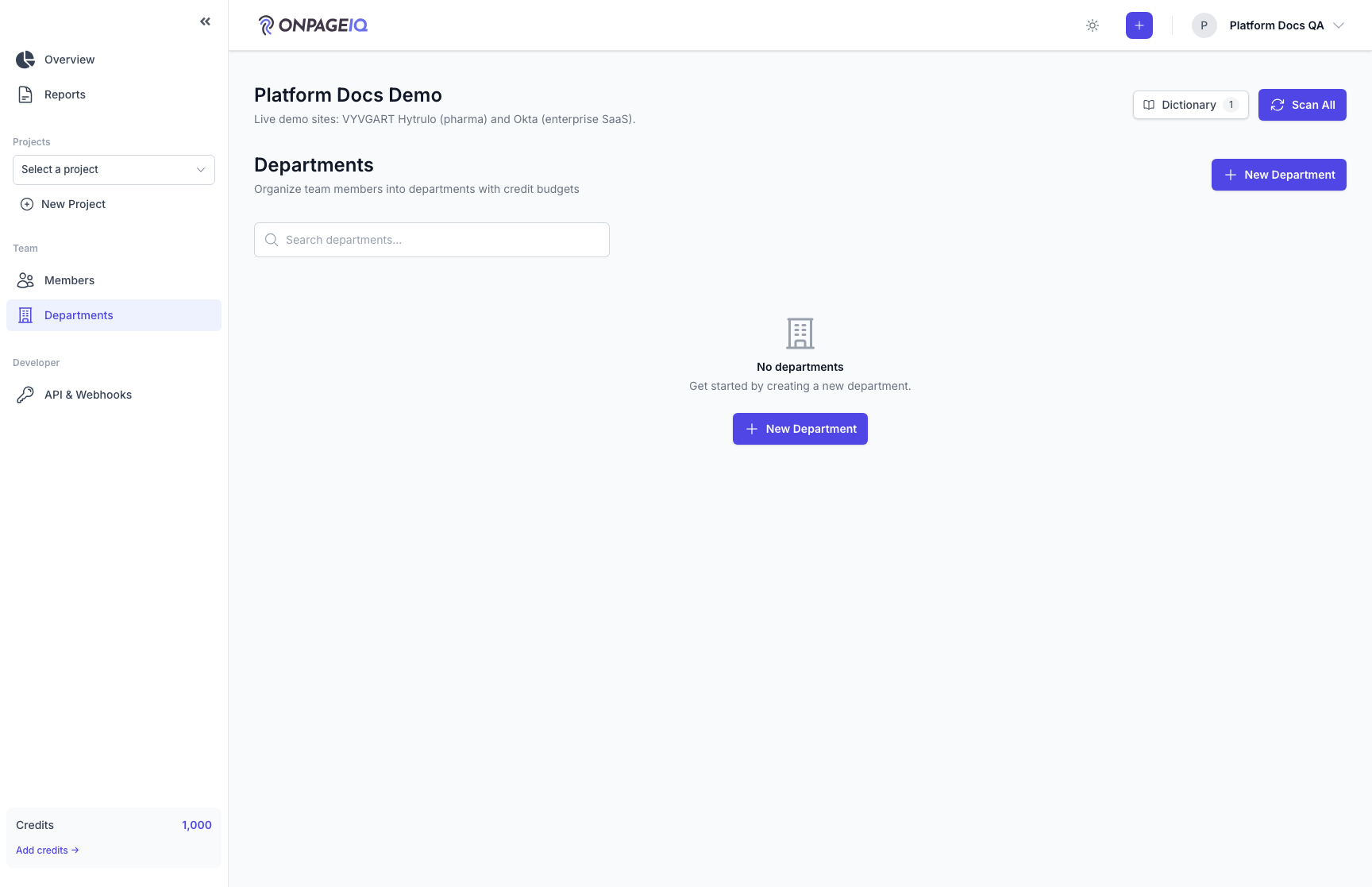
Step 3. Departments
Group members for assignments and reporting.
What to do: Open /team/departments → create department → assign member
Where: team.departments
Expected (pass)
- Department CRUD works within org
- Member shows department on members list
Negative cases (must fail safely)
- Cross-org department ID → 404