Reputation Monitor
New · Jul 29, 2026 Needs testingCheck what public blocklists and threat sources report about your domains and IPs — email/sending reputation, website threats, and infrastructure trust.
Still to be tested
This guide and the Reputation Monitor feature shipped recently and still need QA walkthrough sign-off.
Use the QA focus checklist below; remove the needs_testing flag in
config/platform-docs/pages/addons.php after the team signs off.
User goal
Know when a domain or IP is listed or flagged, verify fixes, and keep High/Critical issues visible on Security.
- Tier
- Pro+ (domain_reputation_addon)
- Nav label
- Reputation Monitor
- Route
- /projects/{project}/domain-reputation
- Gates
- domain-reputation-addon domain-reputation-addon
Prerequisites
- domain-reputation-addon active for the org (Pro+ or entitled grant)
- Project with a discoverable root domain (or manually monitored assets)
QA focus
- Does not claim email deliverability or SEO recovery — disclaimer always visible
- High/Critical findings bridge into Security Fix feed; card on Security Dashboard is informational
- One open scan per project; Verify fix is asset-scoped and does not manually resolve
- Alerts: project reputation_alerts_enabled + Profile reputation_alert_email; Viewers excluded
- Cross-org project/asset IDs → 404/empty, never leak
Overview
Reputation Monitor shows what public blocklists and threat sources report about your domains and IPs — email/sending reputation, website threats, and infrastructure trust. It does not guarantee deliverability or SEO recovery; that disclaimer stays visible on the page.
What you get
- A Reputation Monitor dashboard under Monitoring (latest status, open findings, assets, recent checks)
- Check now (blacklist + web risk) and Deep check (infrastructure trust on domains)
- Asset discovery (root/www/IPv4/IPv6/MX-related); IPv6 is inventory-only for checks today
- Continuous blacklist monitors (hourly) for assets marked Monitoring
- Verify fix for asset-scoped rechecks; High/Critical findings bridge into the Security Fix feed
- Project and profile alert prefs for High/Critical open/reopen (Viewers excluded)
- A Reputation summary card on the Security dashboard with a deep link
How it works
- Open Reputation Monitor, re-discover assets, and toggle Monitoring on what you care about
- Run Check now or Deep check; review findings and recent-check history
- Use Verify fix on an open finding — it resolves only after a clean conclusive recheck, not on click
- Orgs without the add-on see the upgrade page
Common issues & false alarms
- Deep check skips bare IPv4 — infrastructure trust checks are domain-oriented
- IPv6 assets are inventory-only for blacklist / web risk / deep checks today
- Provider credits / tier daily scan caps block Check now with a toast
- Findings auto-resolve after a clean conclusive recheck — not on Verify fix click
Interactive guide
Step of
What to do
Where to find it
Expected (pass)
Negative cases
Tips
Screenshot pending capture
All steps (reference)
-
Step 1. Open Reputation Monitor
Project → Monitoring → Reputation Monitor. See latest check status, open findings, assets, and recent checks.
What to do: Navigate to domain-reputation.index
Where: domain-reputation.index
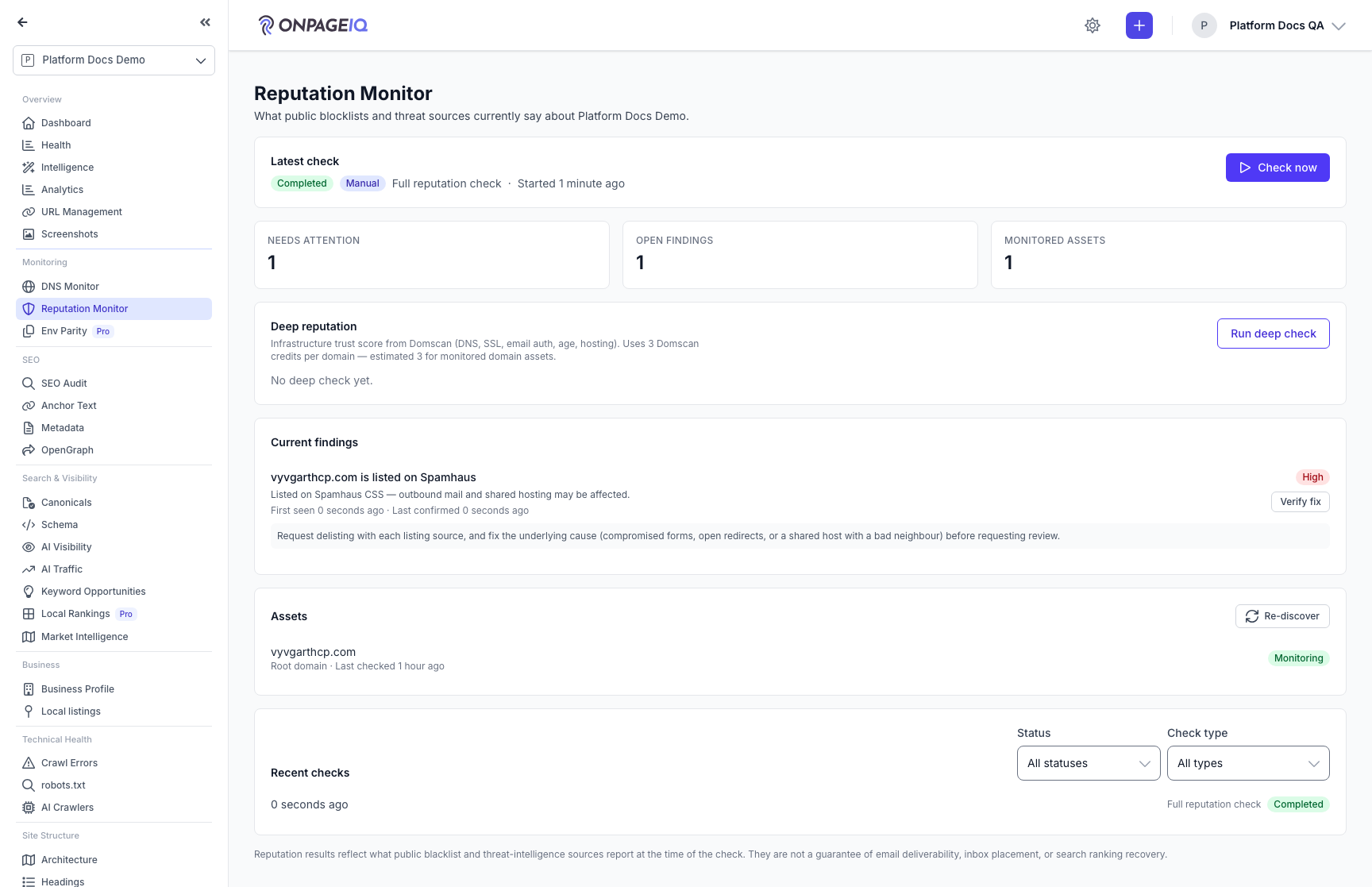
Expected (pass)
- Disclaimer visible (not a guarantee of deliverability/SEO)
- Check now / Deep check CTAs when entitled
- Empty findings state or finding list
Negative cases (must fail safely)
- Addon inactive → domain-reputation.upgrade (or 403 on API)
- Cross-org project id → 403/404
-
Step 2. Discover and monitor assets
Re-discover pulls root/www/IPv4/IPv6/MX-related assets. Toggle Monitoring on assets you want checked (and for continuous blacklist monitors).
What to do: Click Re-discover; toggle Monitoring on at least one domain
Where: domain-reputation.index
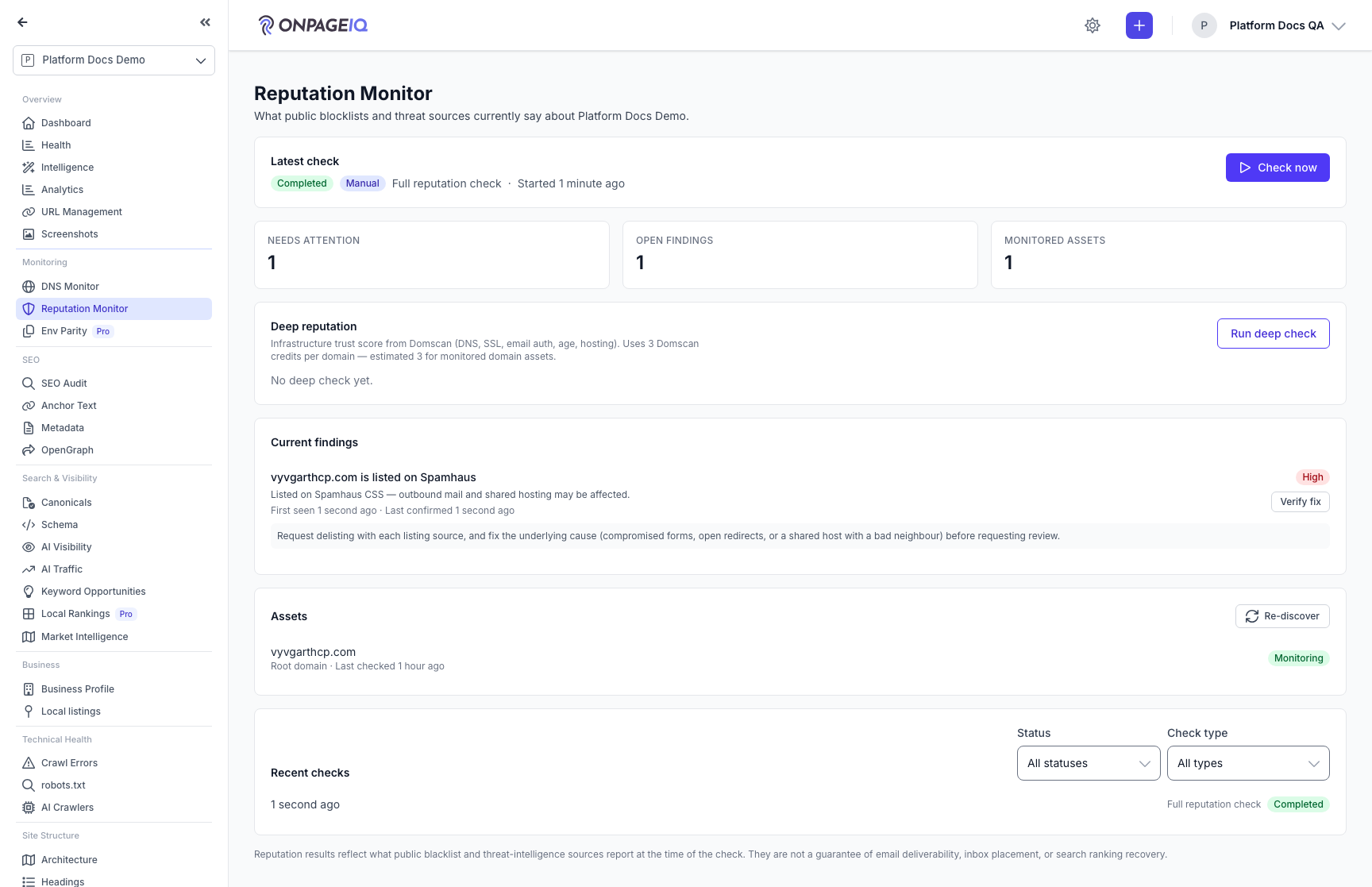
Expected (pass)
- Assets list updates
- Monitoring badge toggles; soft warning if continuous monitoring cannot be provisioned
Negative cases (must fail safely)
- All unmonitored → Check now blocked with reason toast/copy
-
Step 3. Run Check now / Deep check
Check now = blacklist + web risk. Deep check = infrastructure trust score (domains only). Wait for completion; findings and Security bridge update when High/Critical open.
What to do: Click Check now (or Deep check); wait until status is terminal
Where: domain-reputation.index
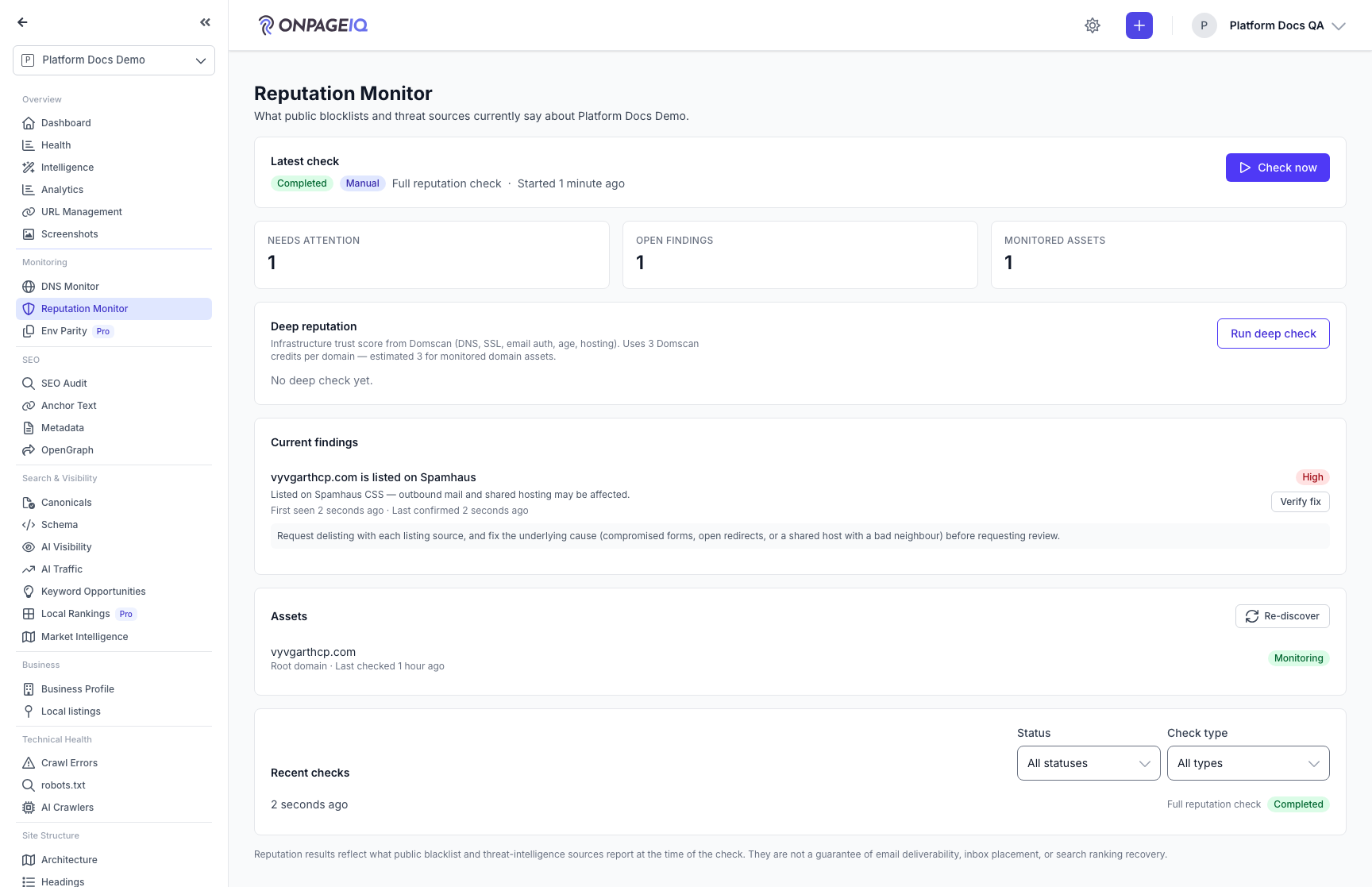
Expected (pass)
- Scan starts; Recent checks shows the run
- Open findings appear when listed/threat/deep issues found
- Security card / Fix feed reflects bridged High/Critical
Negative cases (must fail safely)
- Second Check now while running → blocked / validation toast
- Daily tier limit → error toast, no second scan
-
Step 4. Filter history and Verify fix
Recent checks: filter by status and check type. On an open finding, Verify fix starts an asset-scoped recheck mapped to the finding type; the finding resolves only after a clean conclusive result.
What to do: Set Recent checks filters; click Verify fix on an open finding
Where: domain-reputation.index
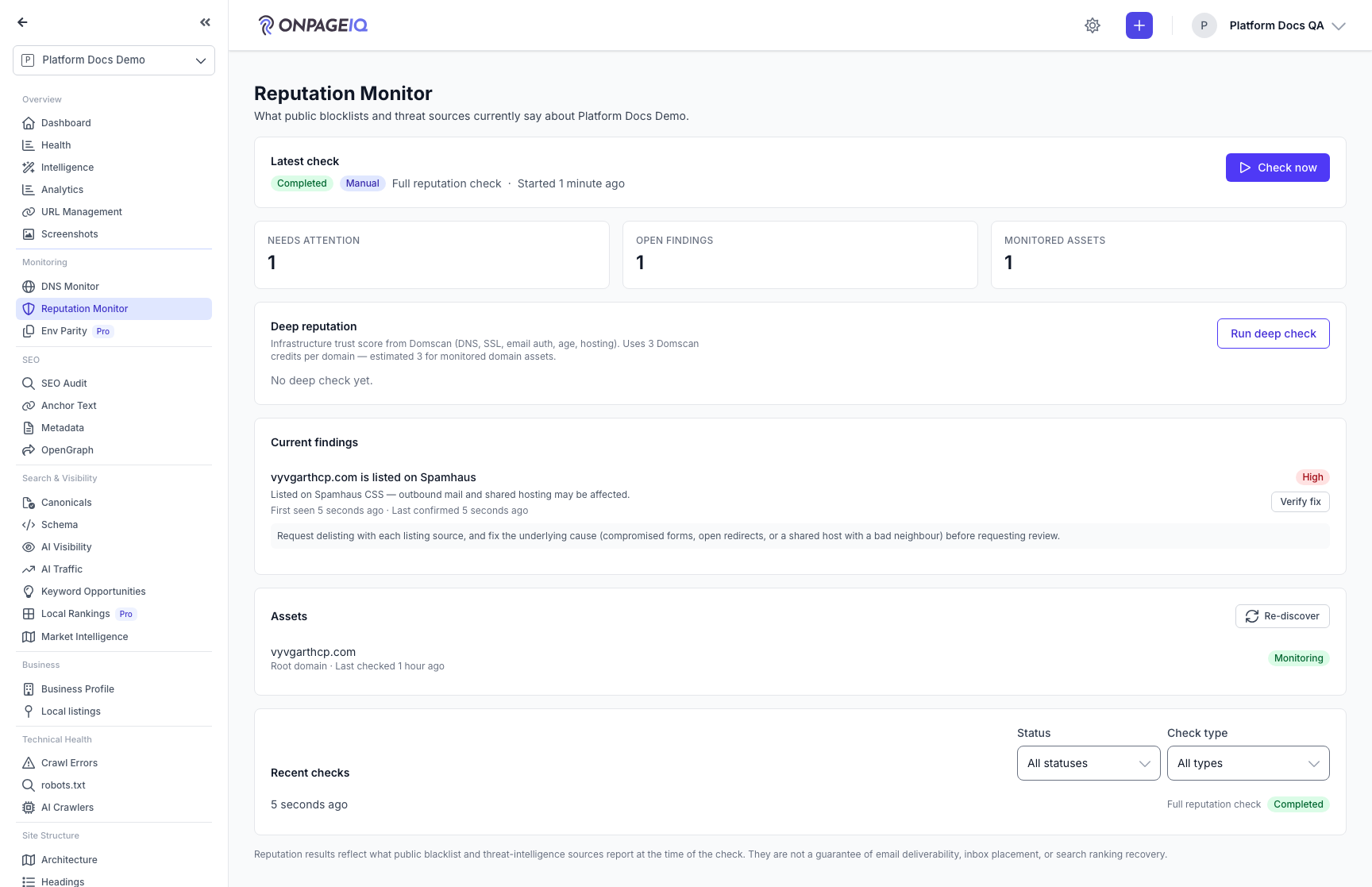
Expected (pass)
- Filters hide non-matching recent scans
- Verify fix starts scoped scan; success toast
- Finding still open until clean recheck completes
Negative cases (must fail safely)
- Verify fix while a scan is open → button disabled / start refused
-
Step 5. Alerts and notification prefs
Project Settings → notifications: reputation_alerts_enabled master switch. Profile → Reputation alert emails (opt-out mail). Owner/Admin/Manager/Member get High/Critical open/reopen alerts; Viewers do not.
What to do: Toggle project and profile prefs; trigger a High finding open on a scan
Where: projects.settings / profile.edit
Expected (pass)
- Kill-switch off → no customer alert
- reputation_alert_email false → database channel only (no mail)
Negative cases (must fail safely)
- Viewer role → not in recipient set
-
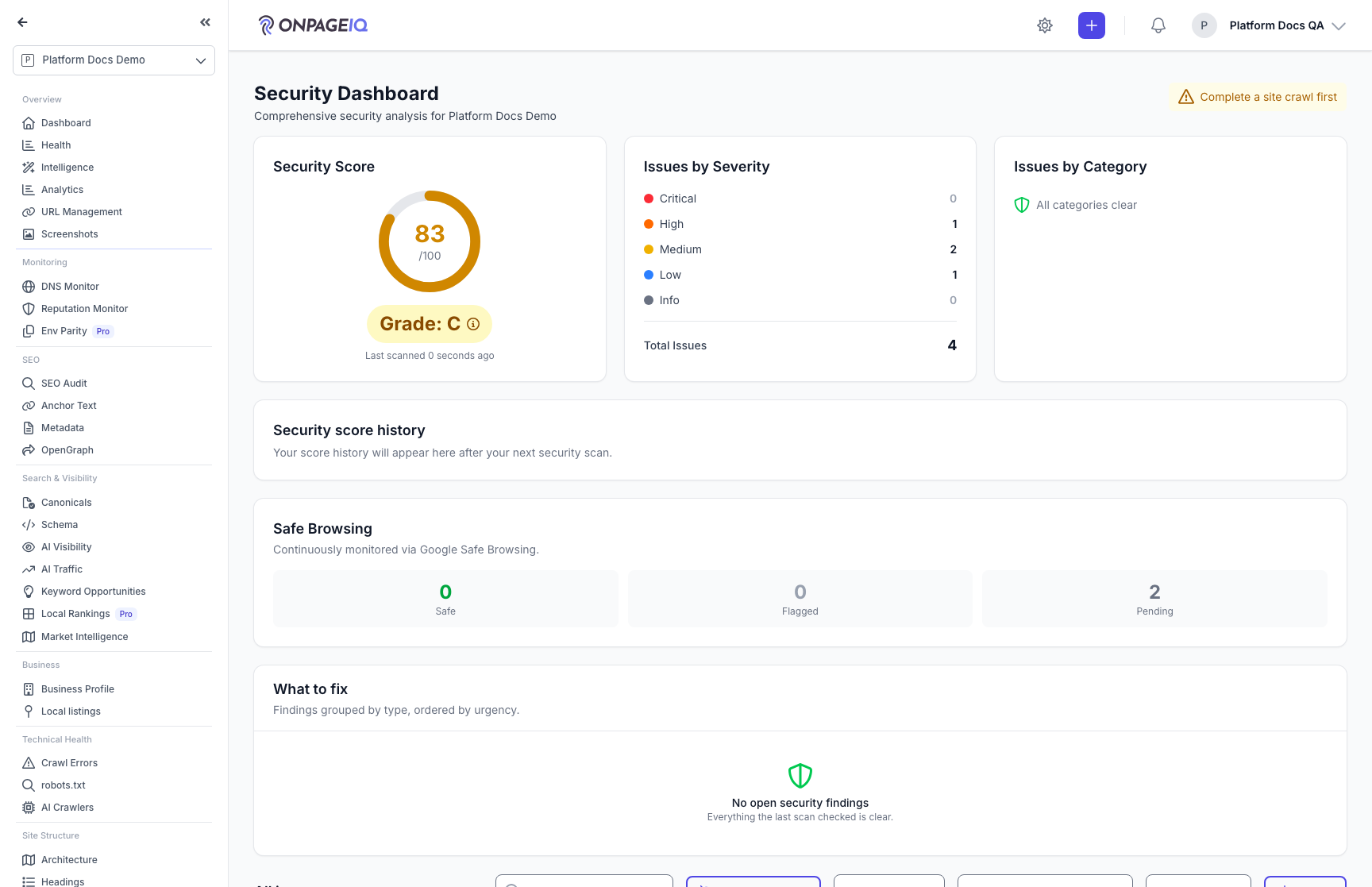
Step 6. Security Dashboard card
Security page always shows a Reputation Monitor summary (or upgrade upsell) outside the audit-scan gate.
What to do: Open projects.security
Where: projects.security
Expected (pass)
- Card states: upgrade / never checked / clear / attention
- Deep link to domain-reputation.index when entitled
Related guides
Security Dashboard
One page for the security of a site: a graded score, a prioritised "what to fix" list, and continuous Google Safe Browsing monitoring.
DNS Monitoring Add-on
Watch MX, SPF, DKIM, DMARC, NS and DNSSEC for every domain — with a health score that shows its working, and alerts when a record changes.
Notifications
In-app notification inbox for scans, assignments, billing, and monitor alerts.
Billing & Subscriptions
Manage subscription tier, purchase credits, add-ons, and view billing history.