Developer Insights
The engineering read on an audit: Core Web Vitals, JavaScript and third-party scripts, caching and compression, API health, and security-header coverage.
User goal
Hand a developer the technical detail behind an audit, not a marketing summary.
- Tier
- Any plan (requires a completed SEO audit)
- Nav label
- Developer
- Route
- /projects/{project}/developer
- Gates
- —
Prerequisites
- At least one completed SEO audit on the project
QA focus
- The page is audit-scoped: the selector picks WHICH audit, and every panel must reflect that selection
- With no completed audit the page explains itself and links to run one rather than rendering empty panels
Overview
Developer Insights is the engineering read of a completed SEO audit — technical detail you can hand a developer, not a marketing summary.
What you get
- Performance overview with Core Web Vitals (LCP, FID, CLS) and how many pages pass
- JavaScript analysis: render-blocking scripts, inline script size, and third-party scripts
- Caching and delivery: missing cache headers, cached endpoints, compression coverage, and resource hints
- API health: endpoints found and average TTFB
- Security-header coverage for CSP, HSTS, X-Frame-Options, and X-Content-Type-Options
- An audit selector and a full developer report export
How it works
- Pick which completed audit to inspect; every panel re-renders against that selection
- With no completed audit, the page explains itself and links to run one instead of empty panels
- Export reflects the audit currently selected, not necessarily the newest one
Common issues & false alarms
- Yellow "no completed audits" banner → run an SEO audit first; the panels have nothing to read
- Numbers differ from the Performance page → this page is scoped to the selected audit, not the latest data
Interactive guide
Step of
What to do
Where to find it
Expected (pass)
Negative cases
Tips
Screenshot pending capture
All steps (reference)
-
Step 1. Pick an audit and read the technical breakdown
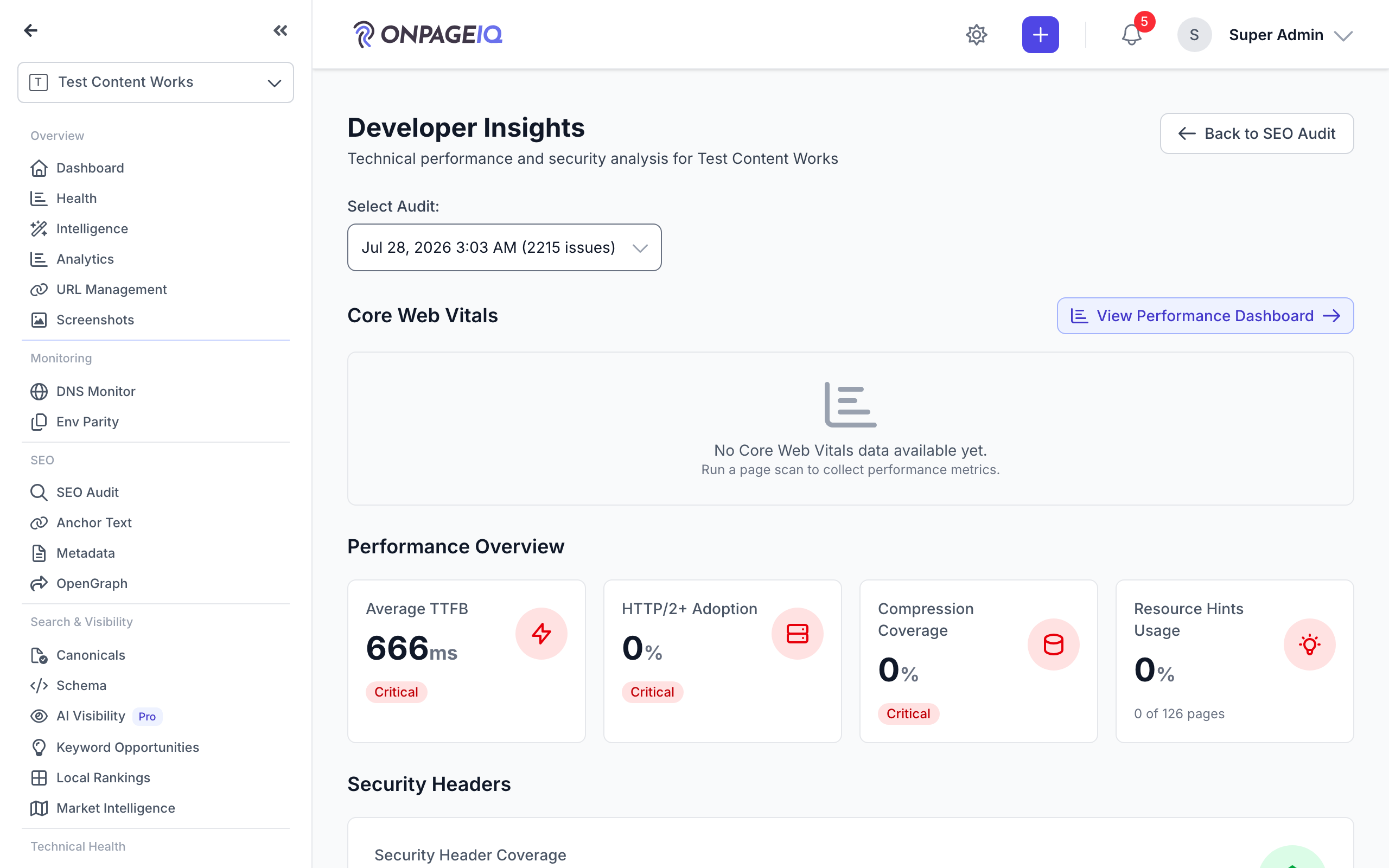
Choose which completed audit to inspect, then work down the panels: performance and Core Web Vitals, JavaScript and third-party scripts, caching and compression, API health, and security headers.
What to do: Project → Developer → choose an audit from the selector.
Where: projects.developer
Expected (pass)
- The selector lists recent audits with their completion time and issue count
- Every panel re-renders against the selected audit
- Security-header coverage names the specific headers checked
Negative cases (must fail safely)
- No completed audit → a banner linking to run one, not empty panels
- An audit id from another project → refused
-
Step 2. Export the developer report
Hand the whole breakdown to someone who does not have an account.
What to do: Developer → Export Developer Report.
Where: projects.developer
Expected (pass)
- The export reflects the audit currently selected, not the newest one
Negative cases (must fail safely)
- Export with no audit selected → unavailable rather than producing an empty file
Related guides
SEO Audit
Site-wide SEO audit dashboard with crawl status, scores, and deep-dive sub-routes.
Performance Insights
Core Web Vitals and performance metrics from crawled pages.
Security Dashboard
One page for the security of a site: a graded score, a prioritised "what to fix" list, and continuous Google Safe Browsing monitoring.
Runtime Diagnostics
Browser console errors, network failures, and CSP violations from audited pages.