Integrations (GSC & GA4)
Connect Google Search Console and Google Analytics 4 per project.
User goal
OAuth connect, select property, sync search/analytics data.
- Tier
- GSC Team+; GA4 Pro+ with google-analytics flag
- Nav label
- Settings → Integrations
- Route
- /projects/{project}/integrations/google-search-console
- Gates
- google-analytics
Prerequisites
- Google OAuth credentials configured
- edit_project permission
QA focus
- OAuth state signed with project
- Legacy integrations index 301 to settings tab
- GA routes behind google-analytics middleware
Overview
Integrations connect Google Search Console and GA4 (and related OAuth callbacks) on the project so Intelligence, Analytics, and other surfaces can use real search and traffic data.
What you get
- An Integrations tab under Project Settings (legacy
/integrationsredirects here) - Google Search Console connect, property selection, and sync
- GA4 connect, property selection, sync, and disconnect / clear-history options
- Tier-gated connect buttons so Free plans see an upsell instead of a broken flow
How it works
- Open Settings → Integrations with edit access and valid Google OAuth credentials configured for the environment
- Complete OAuth, pick a property, then sync
- Disconnect clears tokens; local OAuth redirect URI mismatches are a common local-dev failure
Choosing a Search Console property
After Google OAuth, the property picker shows readable names — not Google’s raw API ids:
- Whole website (including subdomains) — covers the main site and every subdomain (www, blog, and so on). Prefer this when it appears.
- Specific URL — only that address (and paths under it). Use when that listing is the one that matches your site.
- Your access level is shown in plain language (Owner, Full access, …).
- Tip text comparing the two kinds appears only when both are in the list.
Common issues & false alarms
- OAuth redirect URI mismatch in local dev
Interactive guide
Step of
What to do
Where to find it
Expected (pass)
Negative cases
Tips
Screenshot pending capture
All steps (reference)
-
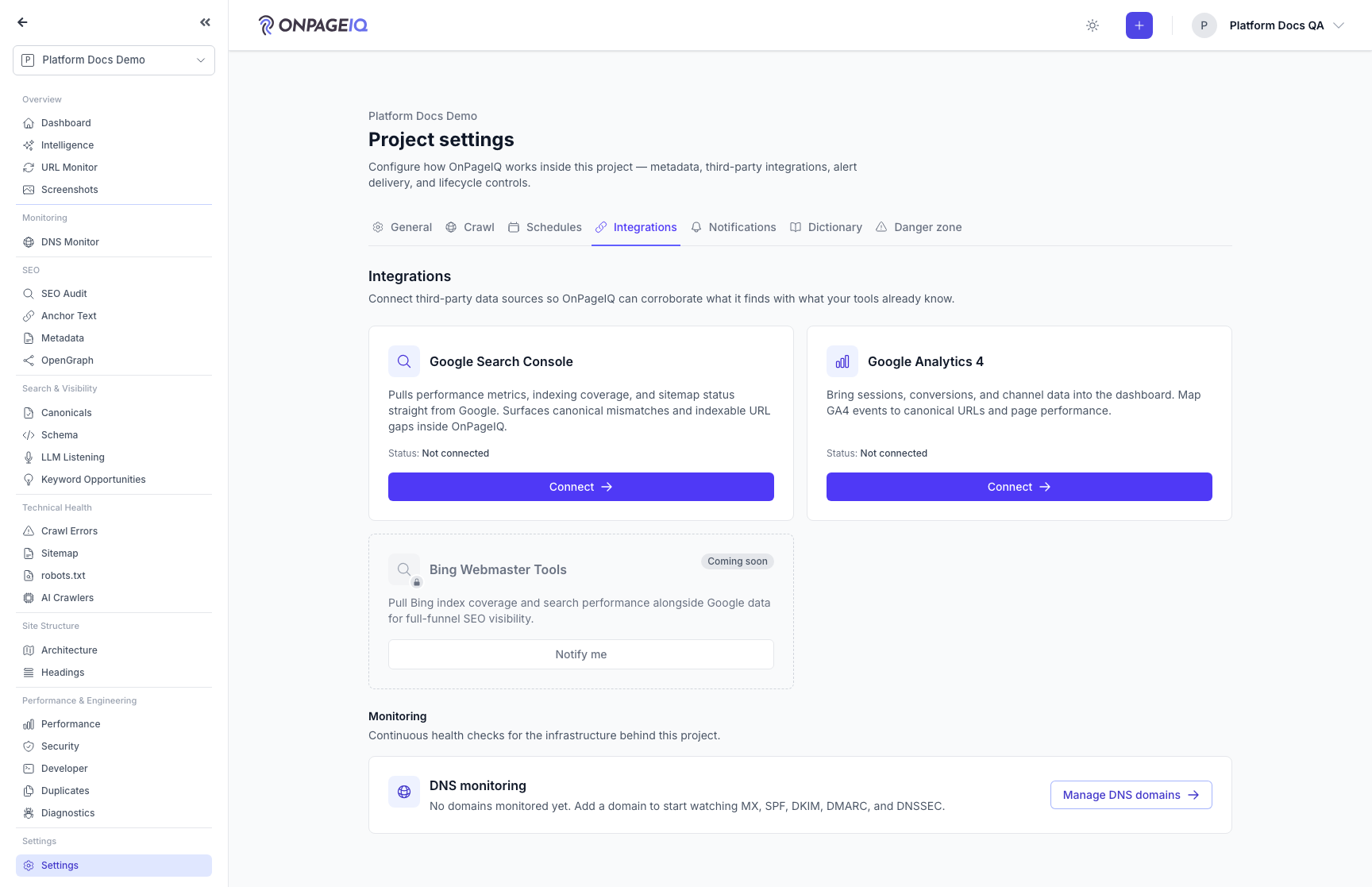
Step 1. Open integrations tab
Project settings with Integrations tab (legacy /integrations 301).
What to do: projects.settings?tab=integrations
Where: projects.settings
Expected (pass)
- GSC and GA cards visible per tier
- Connect buttons enabled
Negative cases (must fail safely)
- projects.integrations.index → 301 to settings
-
Step 2. Connect Google Search Console
OAuth flow and property selection. Picker labels use “Whole website (including subdomains)” / specific URLs (never sc-domain: or siteOwner). Recommendation tip only when both property kinds are listed.
What to do: gsc.connect → callback → select property → sync
Where: projects.integrations.gsc.connect
Expected (pass)
- Property saved on project
- Sync pulls data
- Dropdown shows whole-website / specific-URL labels
- Helper tip only when both kinds are present
Negative cases (must fail safely)
- Free tier → blocked or upsell
- Only whole-website options → no comparison tip
-
Step 3. Connect GA4
Google Analytics OAuth and property pick.
What to do: ga.connect → select property → sync
Where: projects.integrations.ga.connect
Expected (pass)
- EnsureFeaturesAreActive google-analytics
- Disconnect clears tokens
Negative cases (must fail safely)
- Flag off → 403 on ga routes
-
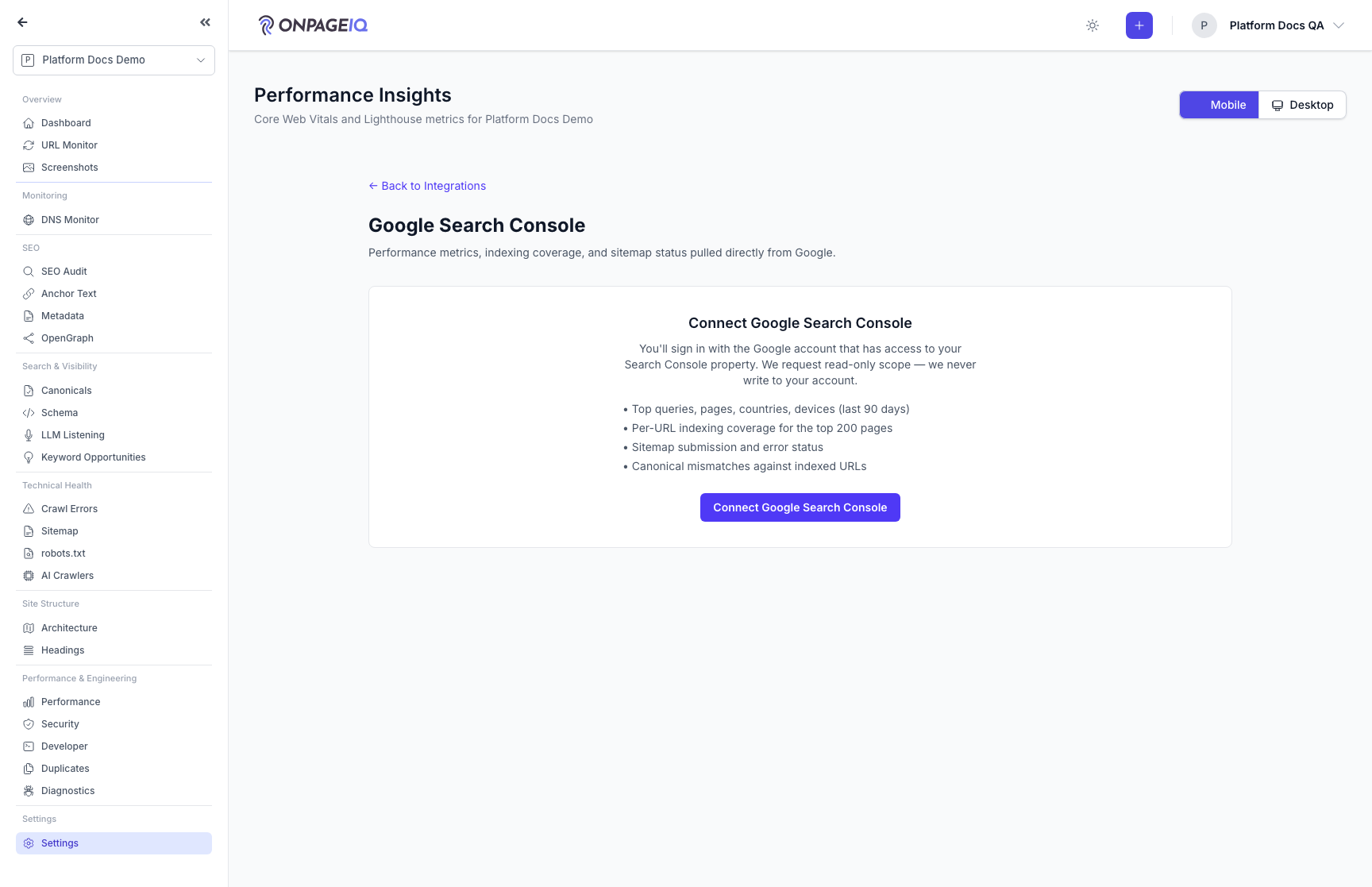
Step 4. Disconnect integration
Revoke tokens and clear synced data option.
What to do: POST gsc.disconnect or ga.disconnect
Where: projects.integrations.gsc.show
Expected (pass)
- Status disconnected
- ga.clear-history optional
Related guides
Intelligence Hub
Cross-source insights combining GSC, GA4, scans, and audits.
Analytics
One page with a tab per connected analytics or search provider — Google Search Console, GA4, Bing Webmaster — rendered through a shared metrics panel.
Keyword Research Add-on
Discover keyword opportunities from GSC data and AI analysis on project SEO surfaces.
AI Traffic Attribution
Measure the traffic AI assistants (ChatGPT, Perplexity, Gemini, Copilot, and more) actually send you — confirmed AI referrals from your GA4 data, a separate "Possible AI Direct" estimate for referrer-stripped visits, a regex simulator for GA4 channel groups, and a client-ready PDF.
Organization Settings
Org profile, org-wide dictionary, diagnostics patterns, and defaults.