Billing & Subscriptions
Manage subscription tier, purchase credits, add-ons, and view billing history.
User goal
Upgrade tier, buy credits, and enable Stripe add-ons without billing errors.
- Tier
- All users
- Nav label
- Billing
- Route
- /billing
- Gates
- —
Prerequisites
- Authenticated org owner or billing permission
QA focus
- Stripe checkout redirects succeed in test mode
- Tier change updates feature gates after webhook
- Credit balance matches ledger after purchase
Overview
Billing is org-scoped: your plan, credits, and add-ons apply to the whole organization.
What you get
- Subscription tier that unlocks features for your org
- Credit packs for scans and some AI features beyond monthly allowance
- Optional Stripe add-ons (may require both tier and an add-on price)
- Billing history for invoices and payment events
How it works
- Upgrade or change plan from Billing; Stripe checkout and webhooks update your org’s access
- Buy credits when you need more scans or AI usage
- Enable add-ons from Billing; after checkout, feature gates reflect the new entitlement
Common issues & false alarms
- Webhook not configured locally → tier stuck after checkout
- Test clock / Stripe test cards required for sandbox
Interactive guide
Step of
What to do
Where to find it
Expected (pass)
Negative cases
Tips
Screenshot pending capture
All steps (reference)
-
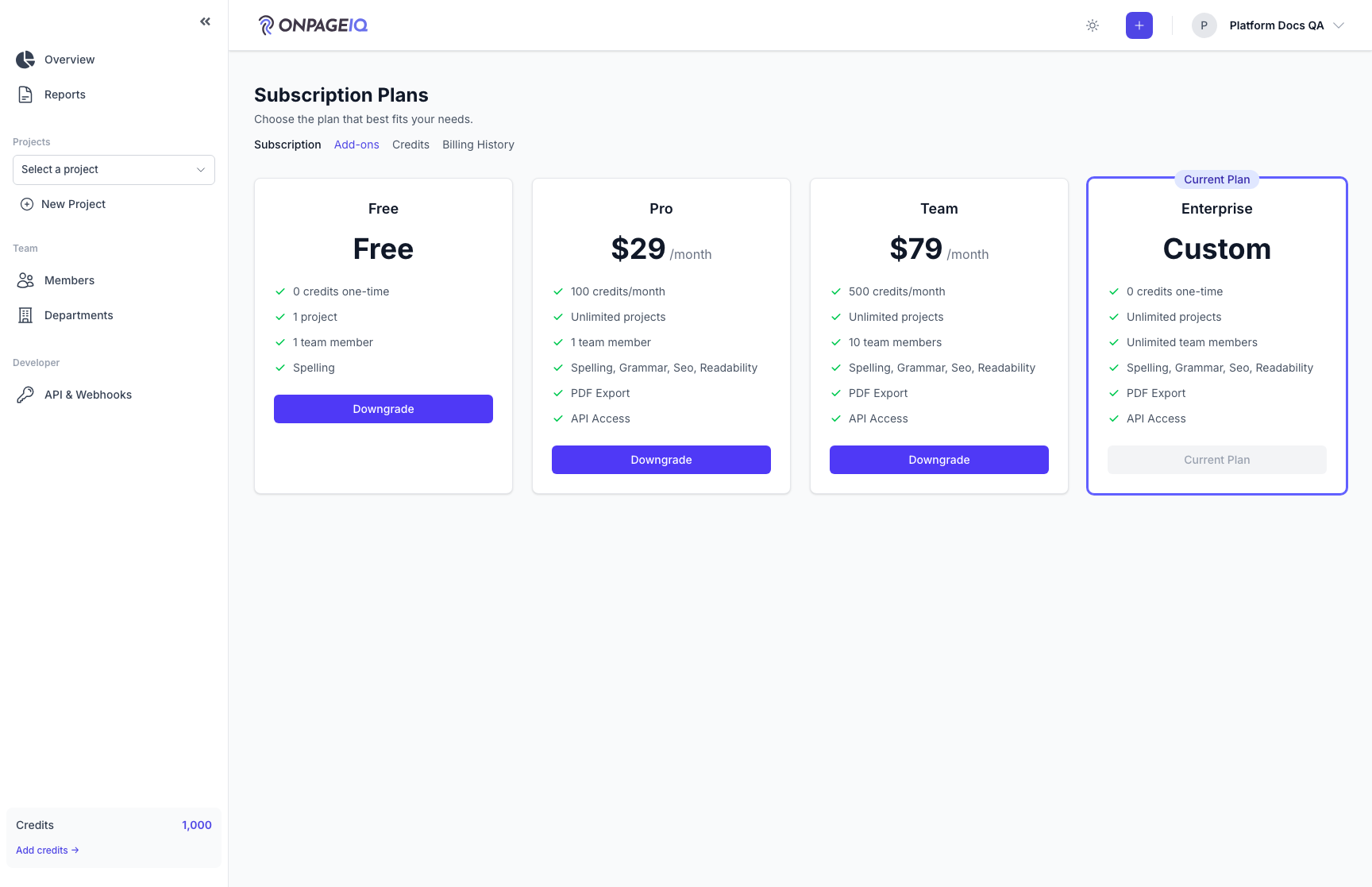
Step 1. Subscription overview
View current plan, renewal date, and upgrade/downgrade options.
What to do: Open /billing; review plan card and usage limits
Where: billing.index
Expected (pass)
- Current tier name matches organization subscription
- Upgrade CTA visible for lower tiers
Negative cases (must fail safely)
- Non-owner without permission → 403
-
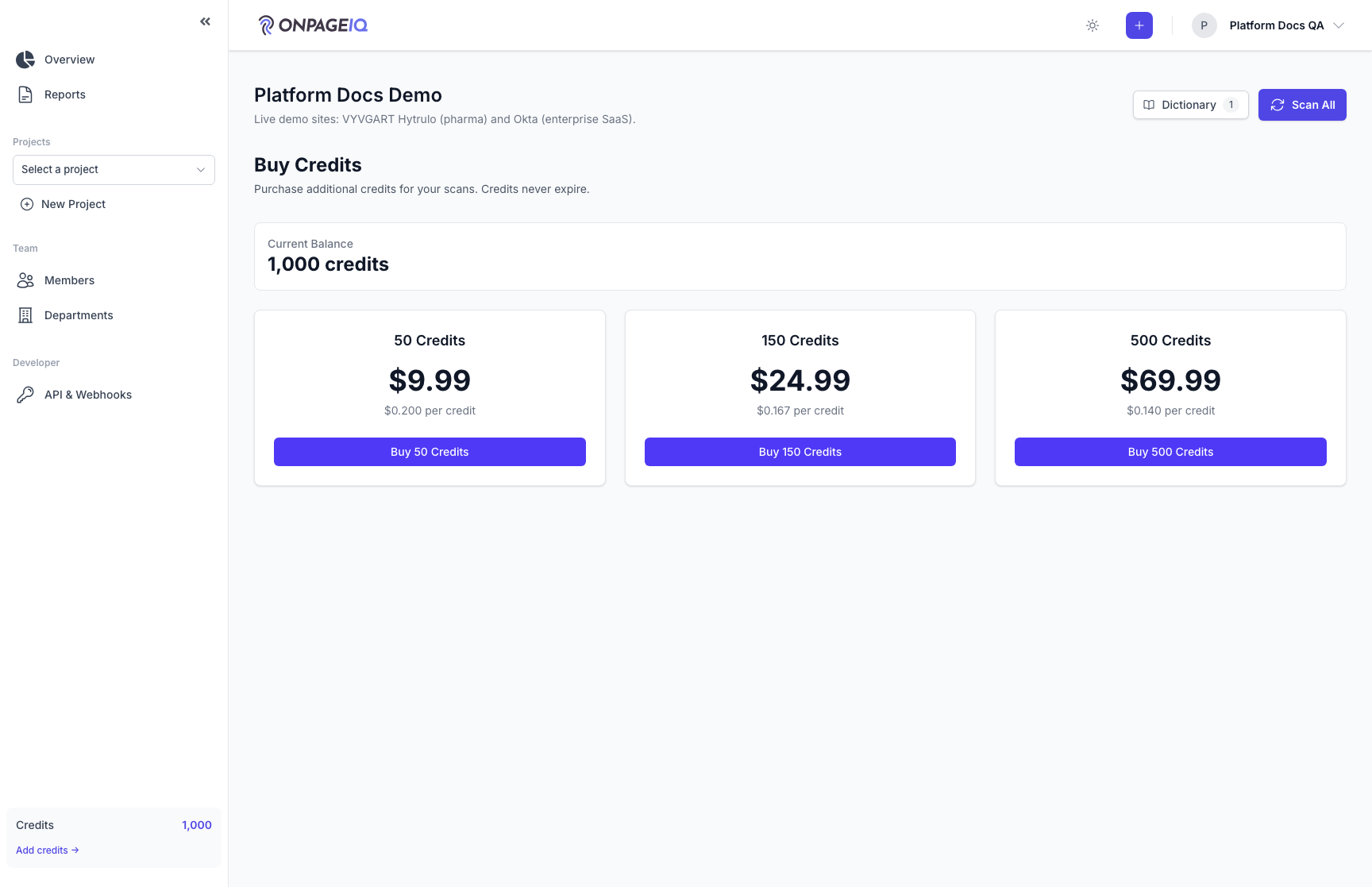
Step 2. Purchase credits
One-time credit packs for scans beyond monthly allowance.
What to do: Go to /billing/credits → select pack → complete Stripe test checkout
Where: billing.credits
Expected (pass)
- Credit balance increases after success redirect
- billing.credits.success flash message shown
Negative cases (must fail safely)
- Abandoned checkout → no credit change
-
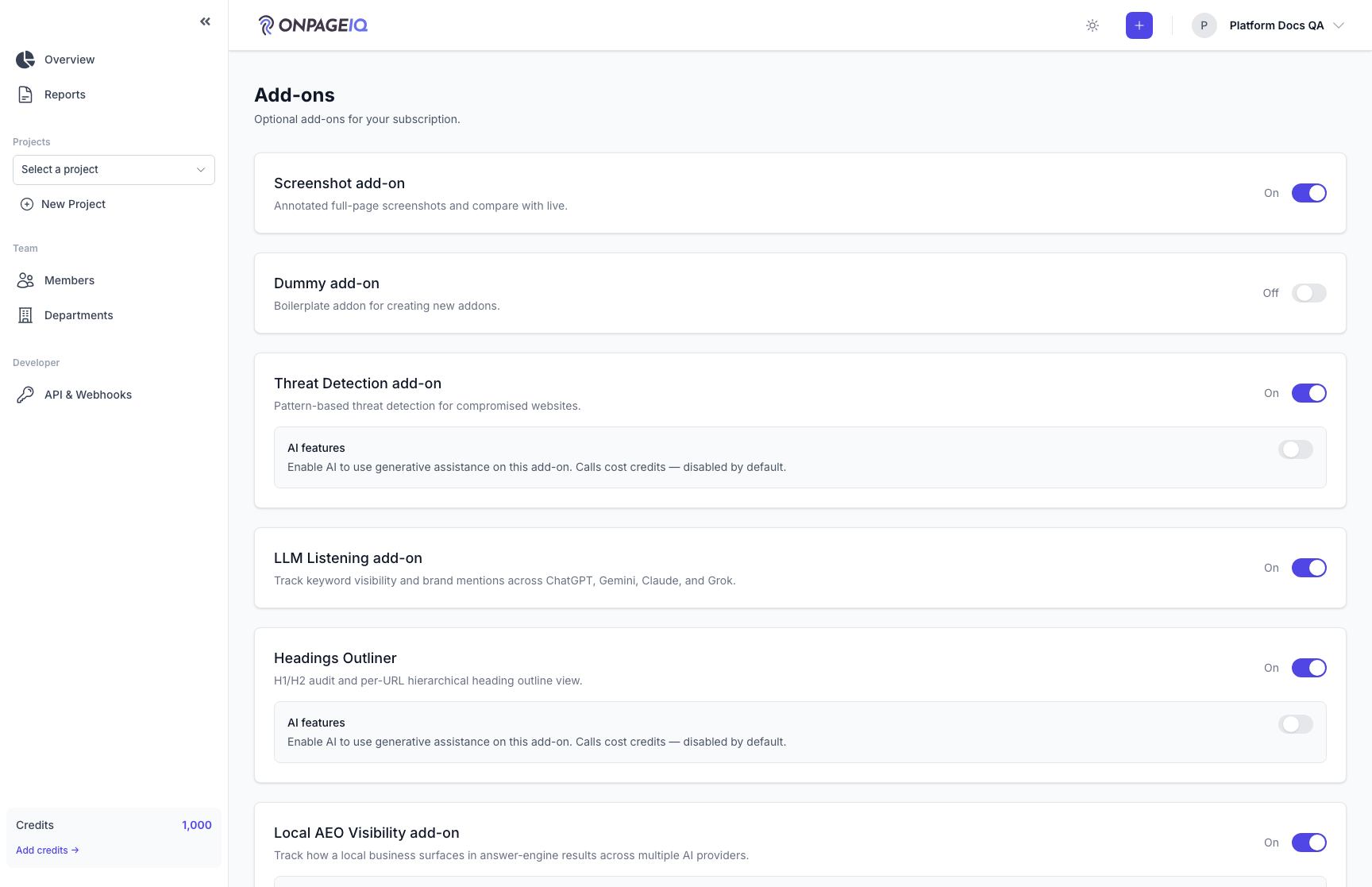
Step 3. Manage add-ons
Enable optional modules (screenshots, DNS, LLM listening, etc.) via Stripe add-on prices.
What to do: Open /billing/add-ons → toggle or subscribe to an add-on
Where: billing.add-ons
Expected (pass)
- Active add-on reflected in @addon Blade checks
- Pennant flags align after webhook processing
Negative cases (must fail safely)
- Addon without tier prerequisite → clear error
- Addon support has granted or withheld → no switch, self-service refused
-
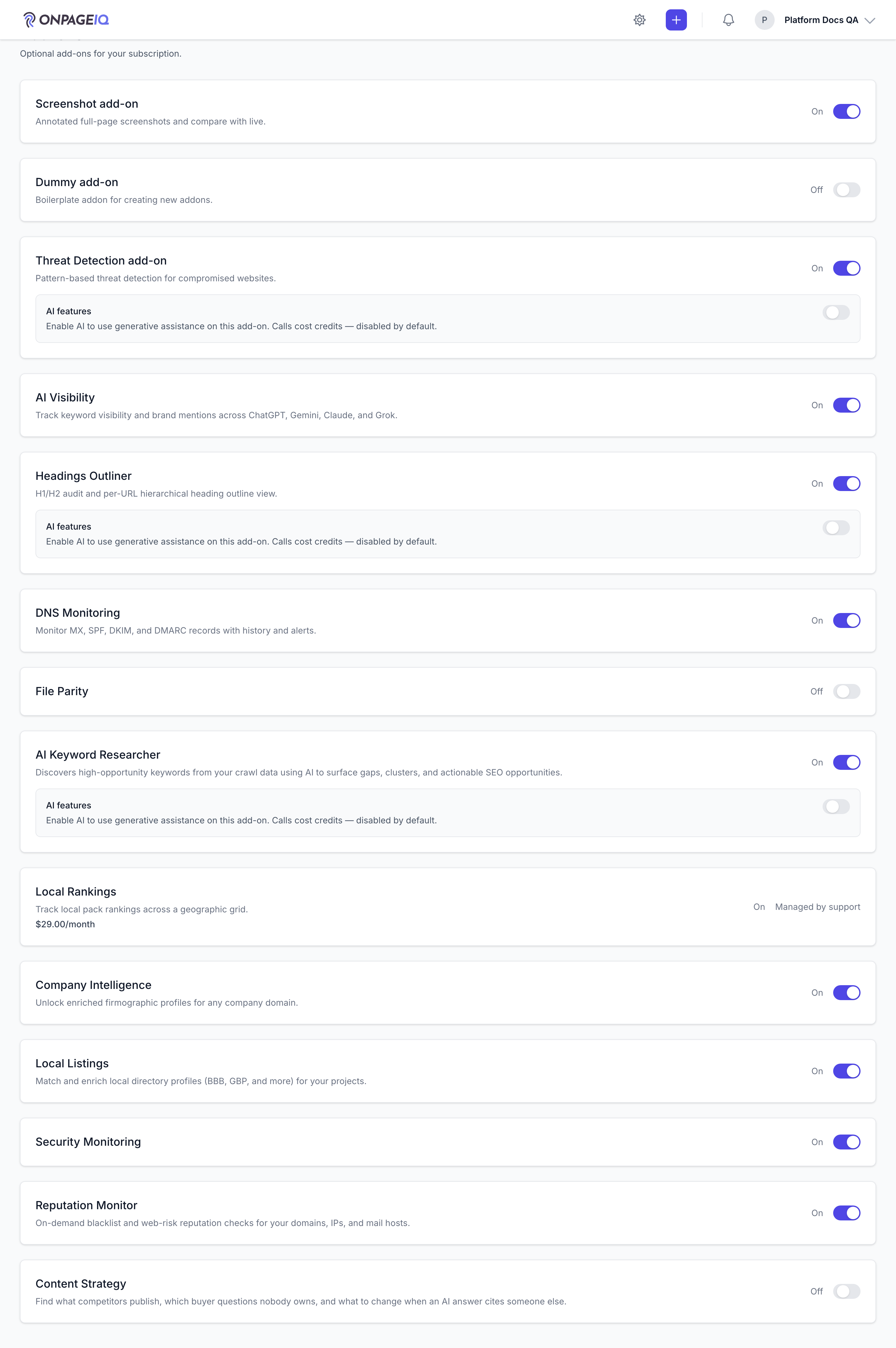
Step 4. Add-ons managed by support
An add-on support has granted (complimentary access) or withheld for an organization shows "Managed by support" instead of a switch, and cannot be changed from this page. The decision is set per organization in the admin panel and is not affected by the customer changing plan — which is the point of it: a complimentary add-on used to be lost on the next plan change.
What to do: Admin panel → Organizations → the org → Add-ons → set the add-on to Granted or Denied, then open /billing/add-ons as that org
Where: billing.add-ons
Expected (pass)
- Row reads "Managed by support" with no toggle
- Access matches the decision even when the plan disagrees
- Decision survives a subscription_tier change in both directions
Negative cases (must fail safely)
- Calling enableAddon/disableAddon directly → refused with a contact-support message
- No decision set → the switch behaves normally
-
Step 5. Billing history
Past invoices and payment events for the org.
What to do: Open /billing/history; open an invoice PDF/link if present
Where: billing.history
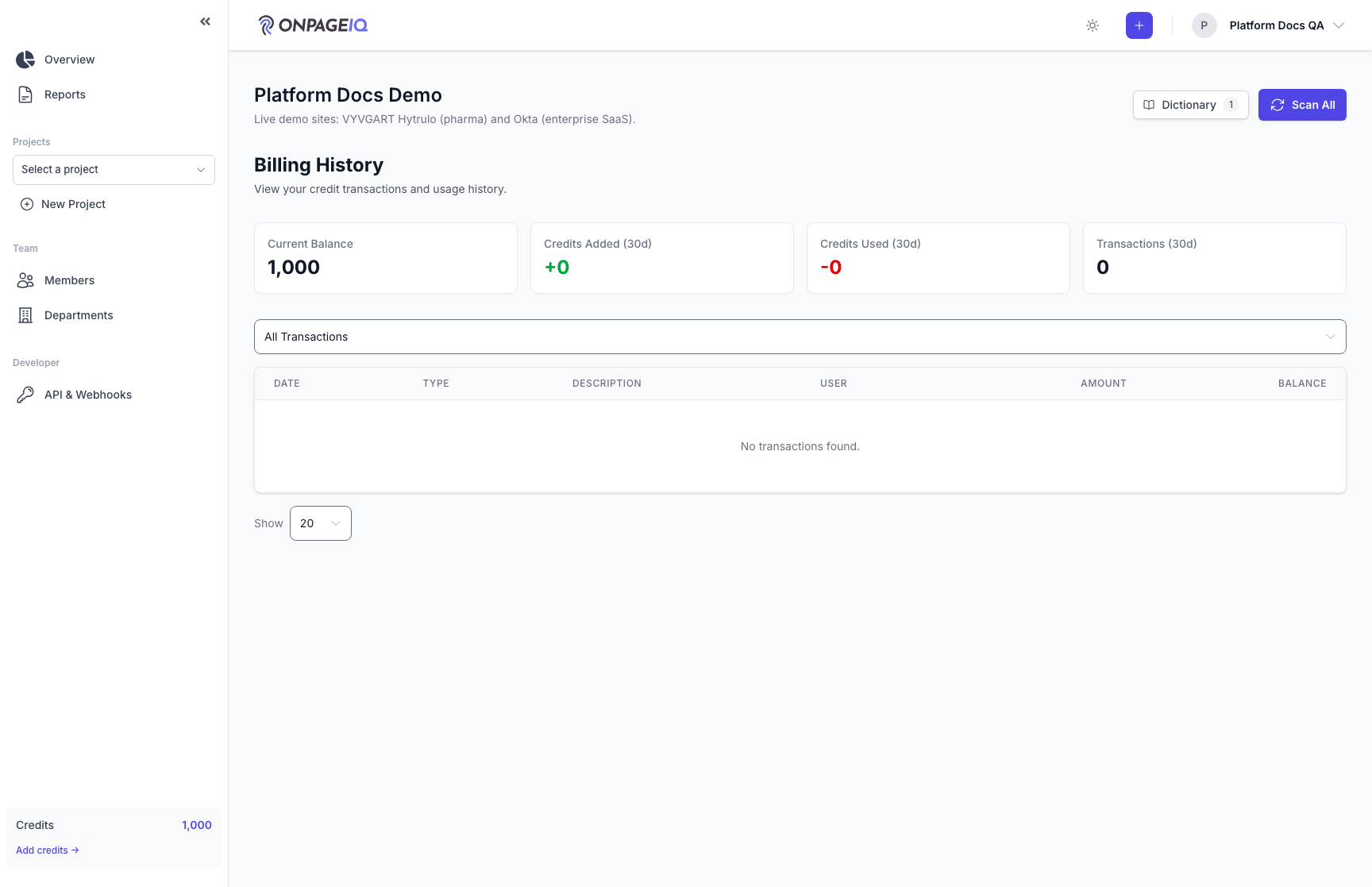
Expected (pass)
- Invoices list loads without 500
- Amounts match Stripe dashboard (test mode)
Related guides
Tiers & Feature Gates
What each subscription tier unlocks and how Pennant flags / addons interact.
Team & Departments
Invite members, assign roles, and organize departments on Team tier and above.
API Tokens & Webhooks
Create Sanctum API tokens and configure outbound webhook endpoints for integrations.