Intelligence Hub
Cross-source insights combining GSC, GA4, scans, and audits.
User goal
See unified recommendations from multiple data sources.
- Tier
- Team+
- Nav label
- Intelligence
- Route
- /projects/{project}/intelligence
- Gates
- intelligence
Prerequisites
- intelligence flag
- view_intelligence permission
- Integrations optional
QA focus
- Org index vs project dashboard
- Report export authorized
- Upsell on ineligible tier at intelligence.index
Overview
Intelligence combines crawl and connected-source signals into org-wide and per-project views so you can see search and listing context without jumping between tools.
What you get
- An org-wide Intelligence landing page (may show an upsell when ineligible)
- A project Intelligence dashboard with cards and reports
- A connected-source checklist (GA, GSC, SEO Audit) on Overview
- External proofs for primary directory links when Local Listings is entitled
- Report export for authorized users
How it works
- Connect integrations for richer data; sparse dashboards usually mean GSC or similar is missing
- Open a project’s Intelligence page to review Overview and drill into reports
- Export a report when entitled; foreign report IDs are not accessible across orgs
Common issues & false alarms
- Sparse data without GSC connected
Interactive guide
Step of
What to do
Where to find it
Expected (pass)
Negative cases
Tips
Screenshot pending capture
All steps (reference)
-
Step 1. Cross-project intelligence index
Org-wide intelligence landing (may show upsell).
What to do: GET /intelligence
Where: intelligence.index
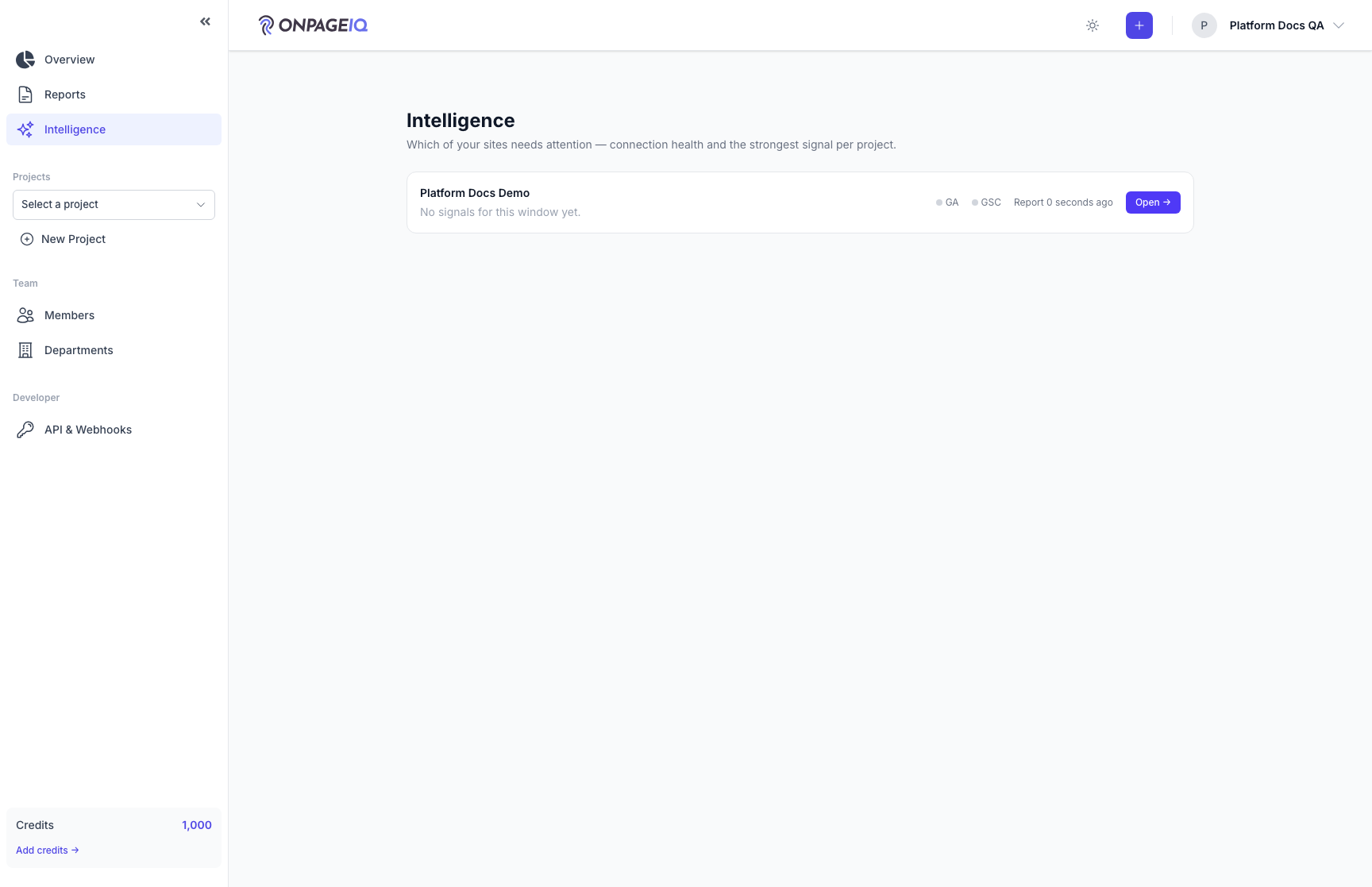
Expected (pass)
- 200 for all tiers
- Upsell when ineligible
-
Step 2. Project intelligence dashboard
Cards and reports for single project. On Overview, confirm source checklist (GA / GSC / SEO Audit).
What to do: projects.intelligence
Where: projects.intelligence
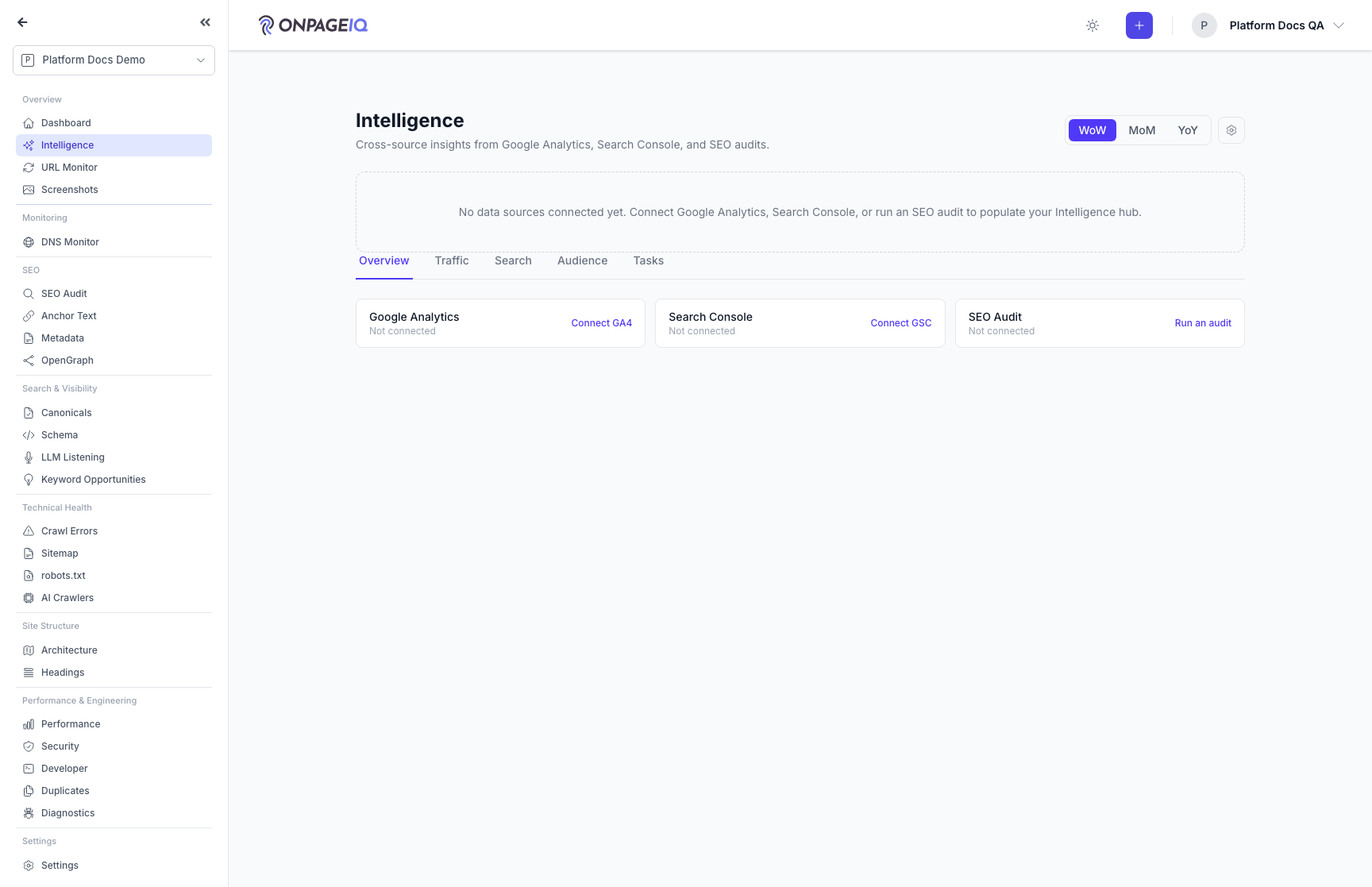
Expected (pass)
- 403 without intelligence flag
- Data loads when integrations present
Negative cases (must fail safely)
- Cross-org project → 403
-
Step 3. External proofs (Local Listings)
When directory-listings-addon is active and the project has primary linked listings, Overview shows External proofs — provider, name, accreditation, rating, stale badge, and a link to manage listings.
What to do: projects.intelligence (Overview tab) after linking a directory profile
Where: projects.intelligence
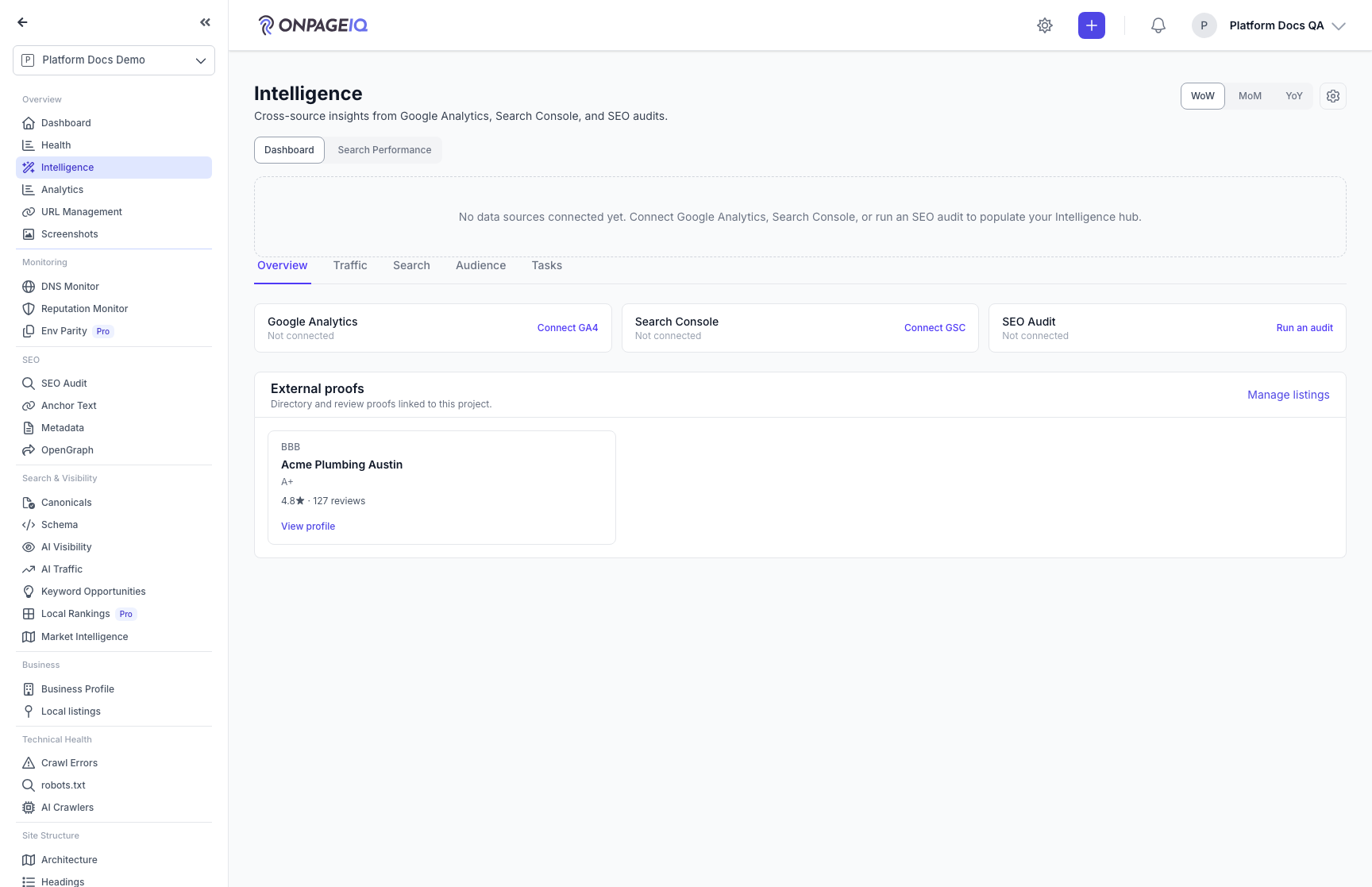
Expected (pass)
- Primary linked directory cards render when entitled + linked
- Manage listings deep-links to Local listings
Negative cases (must fail safely)
- Addon off or no primary links → section omitted
-
Step 4. Export intelligence report
Download report artifact.
What to do: projects.intelligence.report.export
Where: projects.intelligence.report.export
Expected (pass)
- Authorized export downloads
- Foreign report id → 404
Related guides
Integrations (GSC & GA4)
Connect Google Search Console and Google Analytics 4 per project.
Analytics
One page with a tab per connected analytics or search provider — Google Search Console, GA4, Bing Webmaster — rendered through a shared metrics panel.
Company Intelligence
Look up firmographic detail for a list of company domains and keep it in a shared, org-level library.
SEO Audit
Site-wide SEO audit dashboard with crawl status, scores, and deep-dive sub-routes.
Local Listings
Match BBB, Yelp, Angi, Trustpilot, and G2 listings to a project (Google Business Profile sync planned), confirm the right business, and surface reputation proofs in Business Profile, Local SEO, and Intelligence.