Threat Detection Add-on
Updated · Aug 30, 2026Pattern-based compromise detection during crawls with AI verdict second opinion.
What changed
Documented what counts as "your own site" now that the check is per-host: a script on a neighbouring subdomain of a shared host (Vercel, GitHub Pages, Heroku, S3) is a stranger and is scanned, where it used to be trusted as yours.
User goal
Surface malware, injected scripts, and suspicious redirects during scans.
- Tier
- Tier-gated (threat_detection_addon)
- Nav label
- Security (scan pipeline)
- Route
- /projects/{project}/security
- Gates
- threat-detection-addon threat-detection-addon
Prerequisites
- threat-detection-addon flag active
- Completed crawl/scan with HTML payload
QA focus
- Findings only when addon active
- Whitelist domains suppress false positives
- AI verdict respects credit/budget limits
Overview
Threat Detection watches crawl HTML for compromise patterns — injected scripts, suspicious redirects, and similar signals — and can add an optional AI second opinion on flagged findings.
What you get
- Threat-category issues on scan results when patterns match
- Aggregated findings on the project Security dashboard
- Optional AI verdicts on eligible findings (when that sub-feature is on)
- Domain whitelists to suppress known-good CDN and vendor noise
How it works
- Runs inside the scan/crawl pipeline — there is no separate sidebar page
- Review findings on Security and in scan issue lists
- Enable the add-on for the org, run a scan, then drill into threat-related issues
What counts as "your own site"
Every check above starts by asking whether a script, form or iframe belongs to you or to a stranger. Your own site means your own domain: example.com, www.example.com, and any subdomain of it such as cdn. or secure. — those are not reported.
A neighbour on shared hosting is not you. If your site is on Vercel, GitHub Pages, Netlify, Heroku, Cloudflare Pages, Amazon S3, Shopify or similar, other customers sit on subdomains that look like yours — their-site.vercel.app next to your-site.vercel.app. They are unrelated businesses, so anything they serve is scanned as third-party. Sites on shared hosting may see findings here that they did not before; that is the point, because a script from a neighbour was previously trusted as if you had written it.
Common issues & false alarms
- CDN domains need whitelist to avoid noise
- AI verdict disabled when threat-detection-addon.ai flag off
Interactive guide
Step of
What to do
Where to find it
Expected (pass)
Negative cases
Tips
Screenshot pending capture
All steps (reference)
-
Step 1. Enable addon on org
Activate via tier or admin Pennant segment for test org.
What to do: Enable threat_detection_addon on tier or Filament; Feature::flushCache() in tests
Where: billing.add-ons
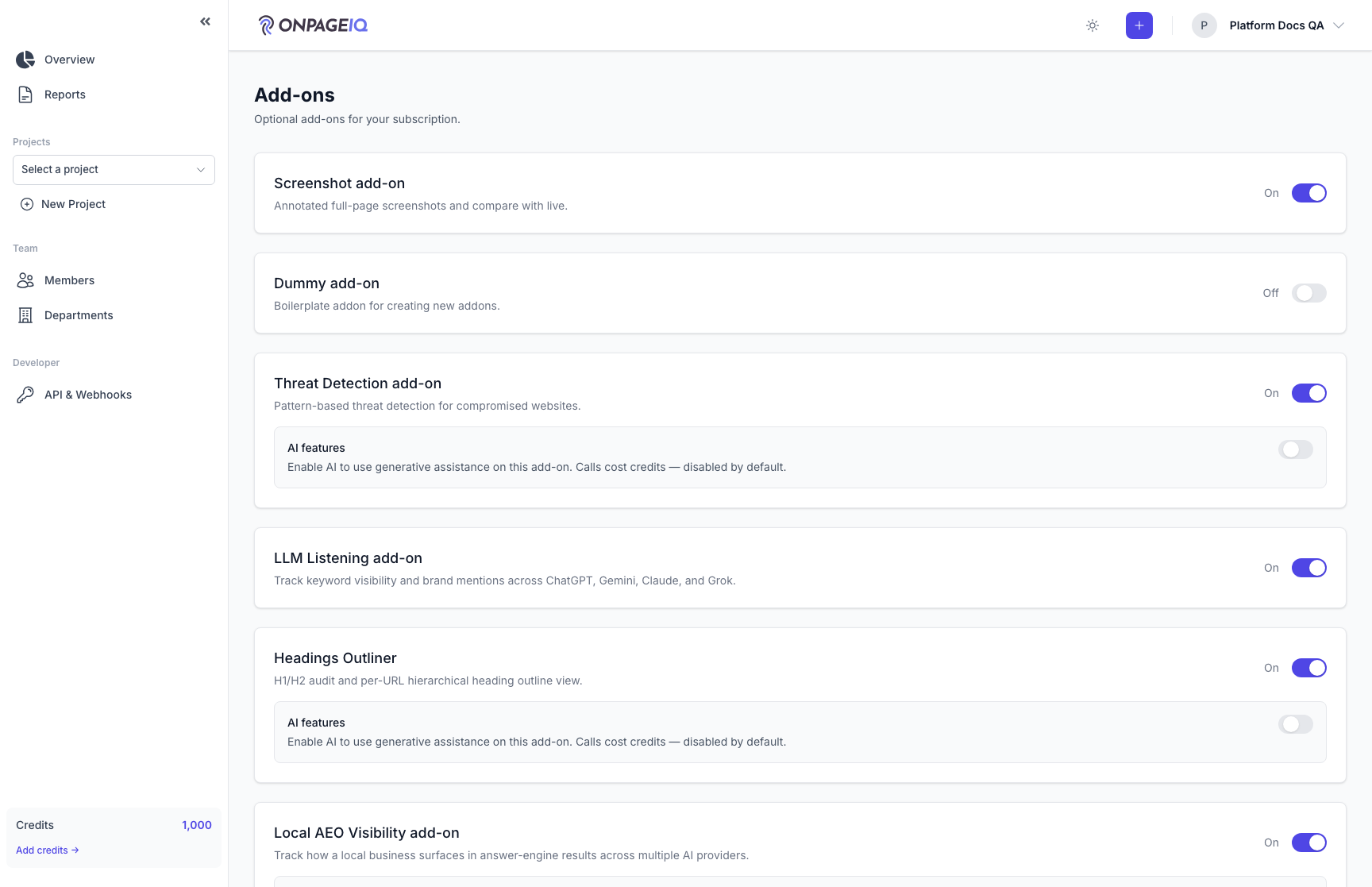
Expected (pass)
- Feature::for($org)->active("threat-detection-addon") === true
Negative cases (must fail safely)
- Flag off → no threat issues created
-
Step 2. Run scan on test fixture
Use seeded compromised HTML fixture or test URL with known patterns.
What to do: Scan URL with injected script pattern from test suite
Where: scans.create
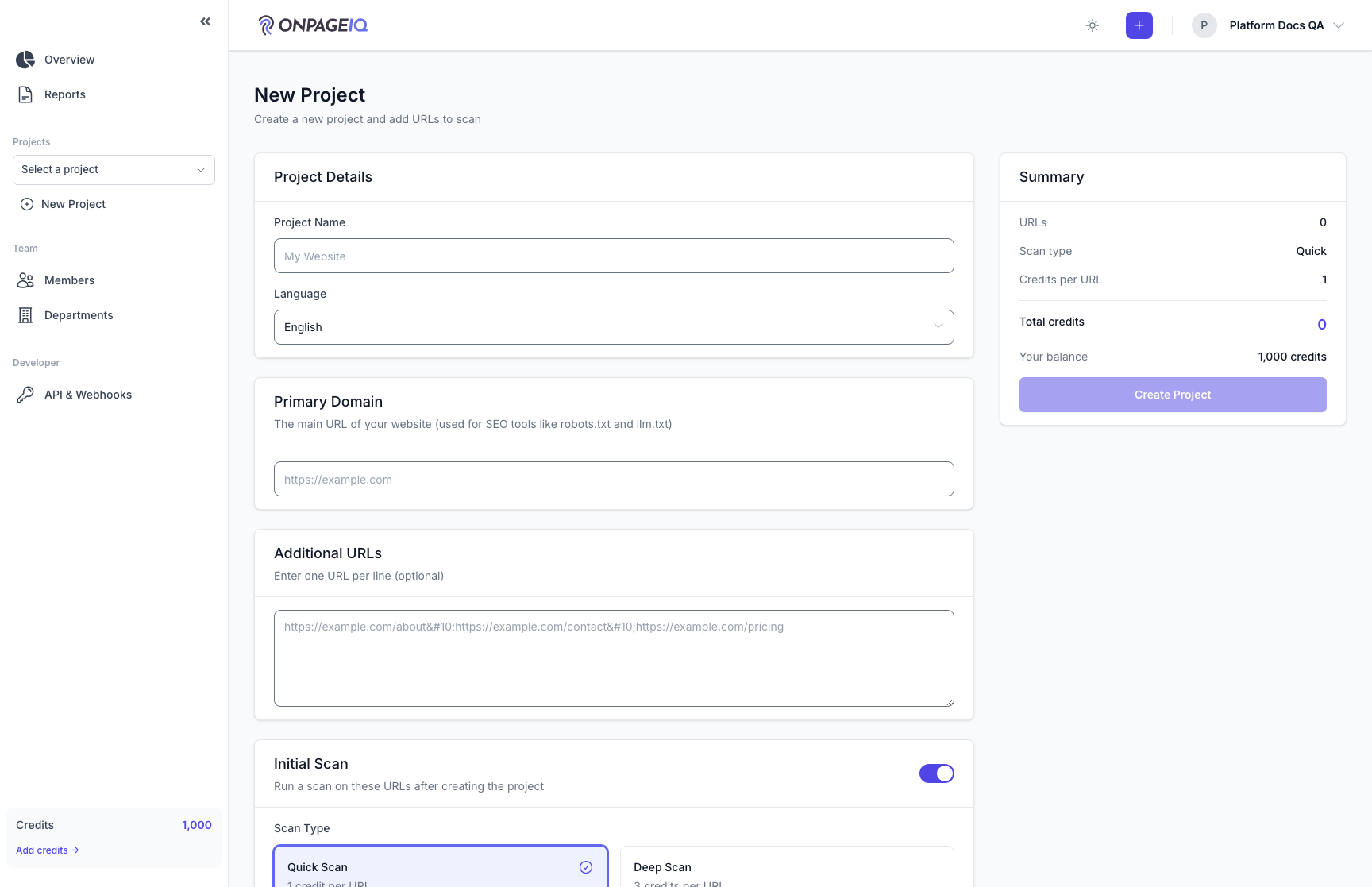
Expected (pass)
- Threat category issue appears on scan results
- Severity matches rules in ThreatDetectionService
Negative cases (must fail safely)
- Whitelisted domain → suppressed finding
-
Step 3. Review on Security dashboard
Aggregated security signals including threat-related issues.
What to do: Open projects.security; filter threat-related issues
Where: projects.security
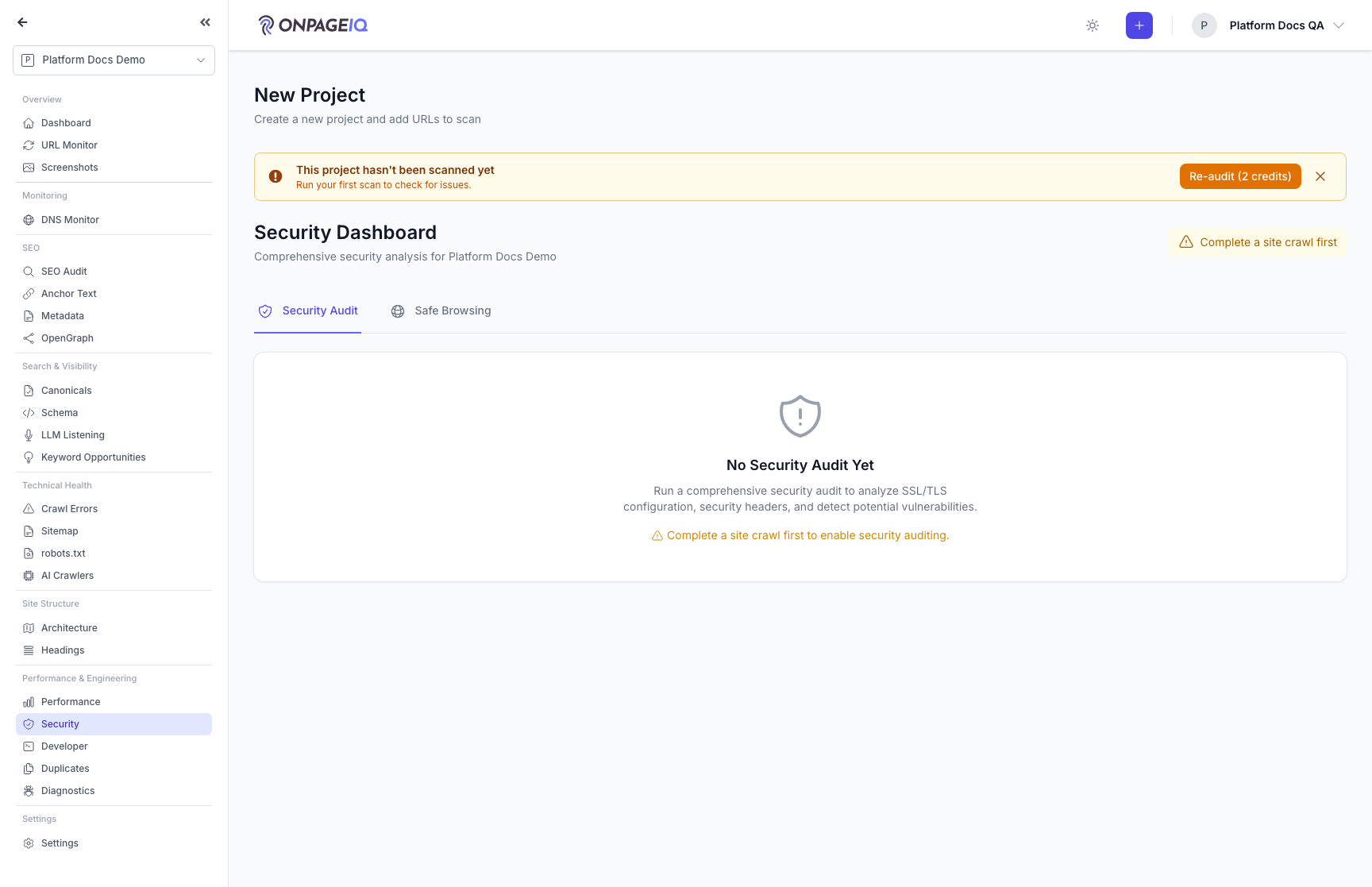
Expected (pass)
- Dashboard loads with threat findings when present
- Links drill to page detail or scan
Negative cases (must fail safely)
- Cross-org project → 403
-
Step 4. AI verdict (optional)
Second opinion on flagged threats when AI sub-feature enabled.
What to do: Trigger verdict job on eligible finding; inspect issue metadata
Where: projects.security
Expected (pass)
- Verdict stored without duplicate charges (idempotent)
- Ineligible category skipped per config
Negative cases (must fail safely)
- AI flag off → no verdict call
Related guides
Security Dashboard
One page for the security of a site: a graded score, a prioritised "what to fix" list, and continuous Google Safe Browsing monitoring.
Content Scans
Run spelling, grammar, SEO, and readability checks against project URLs.
Site Architecture
Visual crawl tree, click-depth analysis, orphan detection, and architecture export — plus the definitions behind every number on the Statistics panel.