Screenshot Add-on
Capture desktop/tablet/mobile screenshots per URL, gallery view, live compare, and highlight annotations.
User goal
Visual regression QA: compare scan-time captures with live page and export assets.
- Tier
- Pro+ (or Stripe add-on)
- Nav label
- Screenshots
- Route
- /projects/{project}/screenshots
- Gates
- screenshot-addon screenshot-addon
Prerequisites
- screenshot-addon Pennant flag active for org
- Playwright/Browsershot worker available
- At least one completed scan with screenshot capture enabled
QA focus
- Gallery shows viewports per URL
- Compare-live throttled and addon-gated
- Export ZIP/PDF requires addon middleware
Overview
Screenshots capture desktop, tablet, and mobile views of scanned URLs so you can review visual state, spot regressions, and export assets without leaving the project.
What you get
- A project Screenshots gallery with viewport thumbnails per URL
- Compare with live — side-by-side or diff against a fresh headless capture
- Live highlights overlay for issue comments on the current page
- ZIP and PDF export of captured viewports
How it works
- Captures attach to completed scans when screenshot capture is enabled
- Open the gallery from the project, or compare/highlight from a scan results page
- Export from a scan (ZIP) or the project (PDF per viewport)
Common issues & false alarms
- Worker timeout on slow pages
- compare-live rate limit: 10/min
Interactive guide
Step of
What to do
Where to find it
Expected (pass)
Negative cases
Tips
Screenshot pending capture
All steps (reference)
-
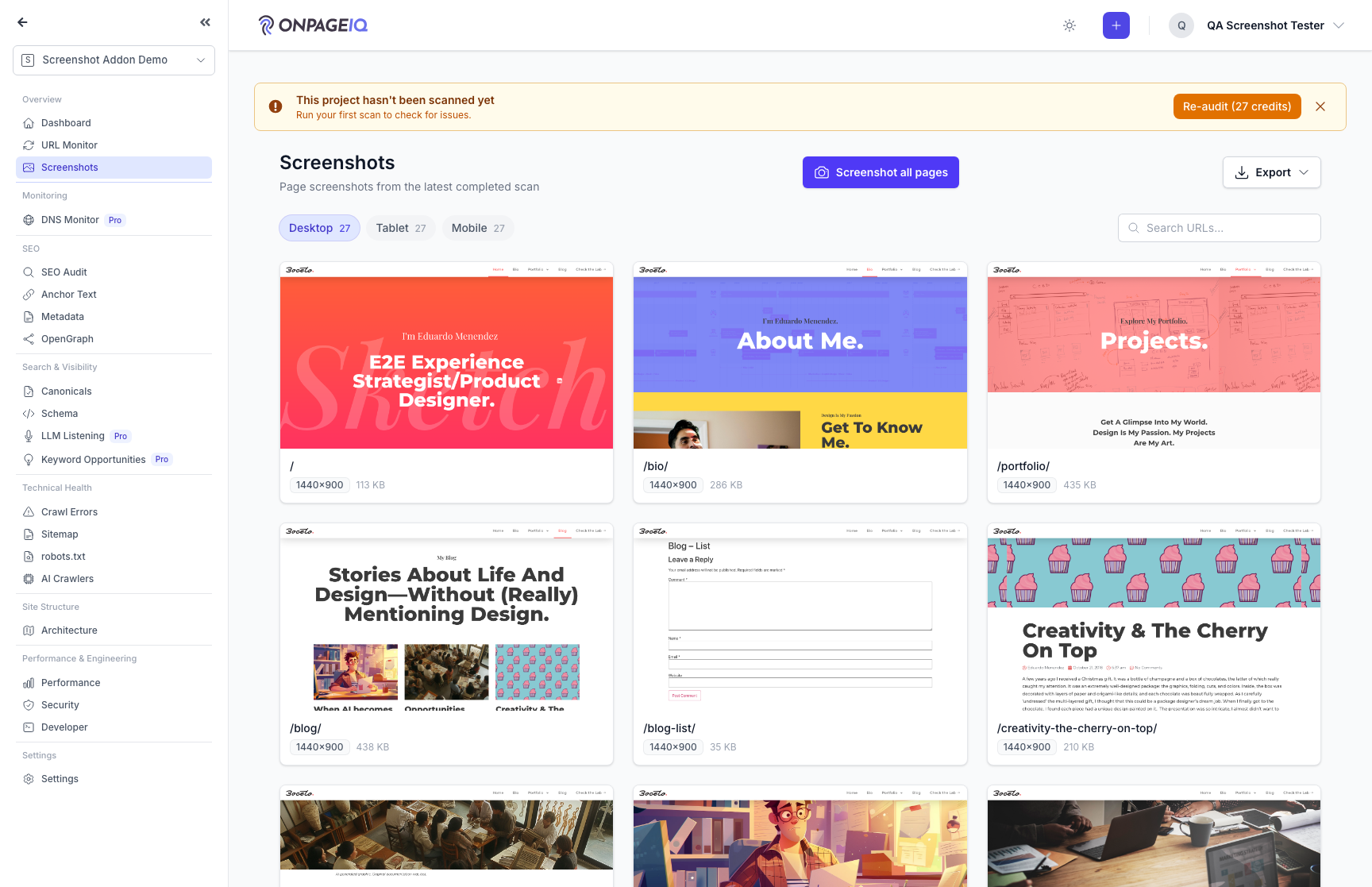
Step 1. Open screenshot gallery
Project-level grid of URLs with latest viewport captures.
What to do: Navigate to projects.screenshots for a project with scan data
Where: projects.screenshots
Expected (pass)
- Thumbnails render for desktop (and tablet/mobile if captured)
- Empty state when no screenshots exist
Negative cases (must fail safely)
- Addon inactive → upgrade or 403 on direct URL
-
Step 2. Compare with live
Headless capture of current live page vs stored scan screenshot.
What to do: On scans.show click Compare with live; wait for job
Where: scans.compare-live (POST)
Expected (pass)
- Diff or side-by-side renders
- POST returns success within throttle limits
Negative cases (must fail safely)
- 11th request in 1 min → 429
-
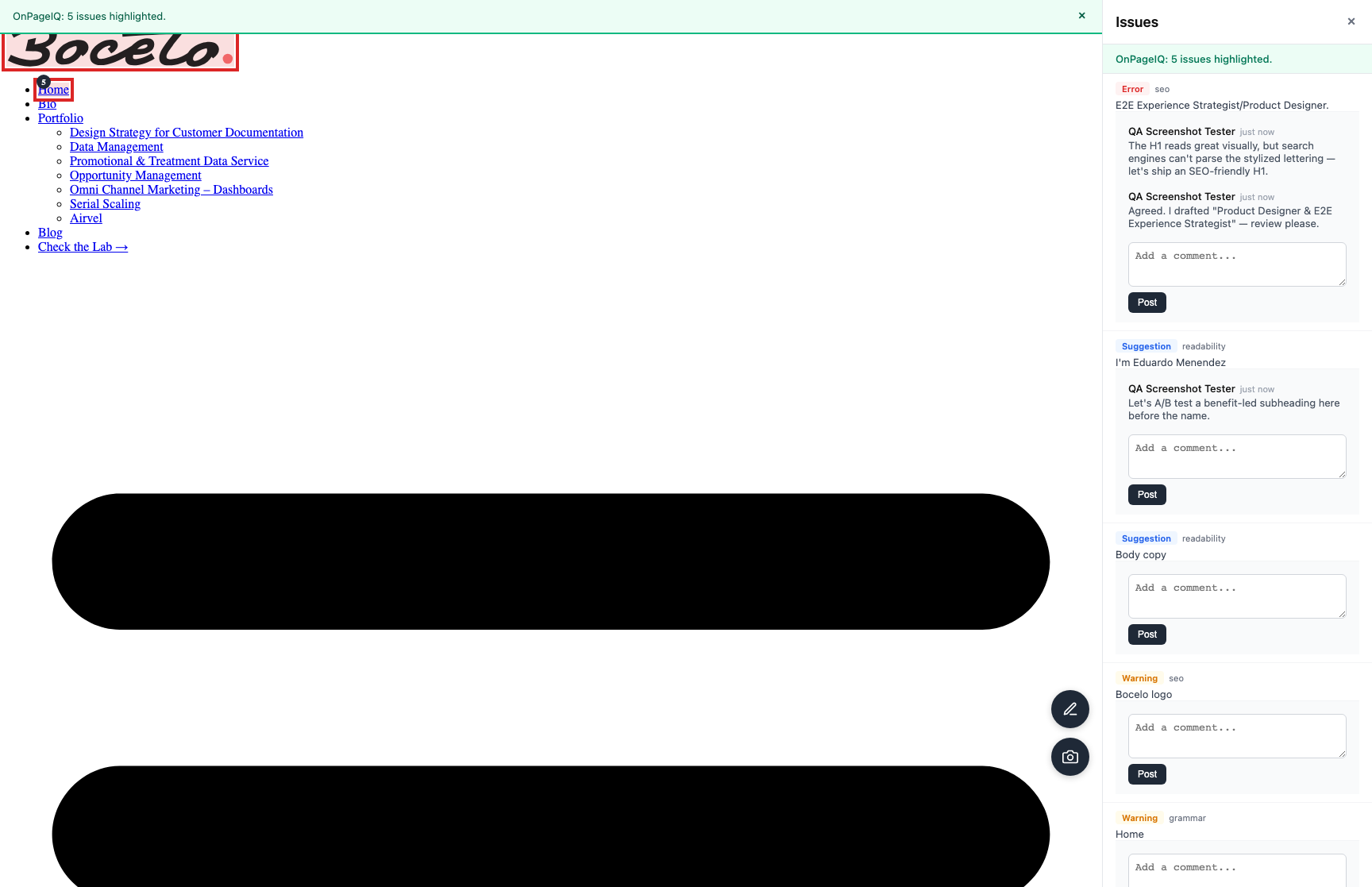
Step 3. Live highlights overlay
Proxy page with issue highlights on live site for manual QA.
What to do: Open scans.live-highlights for a scan with highlights
Where: scans.live-highlights
Expected (pass)
- Proxy loads without mixed-content block (where possible)
- Highlight comments API responds 200 for session user
Negative cases (must fail safely)
- Cross-org scan → 403/404
-
Step 4. Export screenshots
Download ZIP from scan or PDF per viewport from project export.
What to do: scans.export.screenshots-zip and projects.export.screenshots.pdf
Where: scans.export.screenshots-zip
Expected (pass)
- File downloads with valid images
- Routes return 403 without addon