Headings Outliner Add-on
H1–H6 outline per URL with hierarchy issues and CSV/JSON/Markdown export.
User goal
Audit heading structure for accessibility and SEO across crawled pages.
- Tier
- Add-on purchase or tier flag
- Nav label
- Headings
- Route
- /projects/{project}/headings
- Gates
- headings-outliner-addon headings-outliner-addon
Prerequisites
- headings-outliner-addon active
- Crawl or scan with HTML extraction completed
QA focus
- Outline page matches DOM heading order
- Exports download with correct Content-Type
- Addon middleware on all headings routes
Overview
Headings Outliner audits H1–H6 structure across crawled pages so you can fix hierarchy issues that hurt accessibility and SEO.
What you get
- A project Headings index with per-URL heading counts and issue flags
- A nested outline for any single URL
- Export as CSV, JSON, or Markdown
How it works
- After a crawl or scan with HTML extraction, open Headings for the project
- Drill into a URL for the full tree; skipped levels and multiple H1s are flagged
- Download the project export when you need to share or work offline
Common issues & false alarms
- Empty outline when page has no headings
Interactive guide
Step of
What to do
Where to find it
Expected (pass)
Negative cases
Tips
Screenshot pending capture
All steps (reference)
-
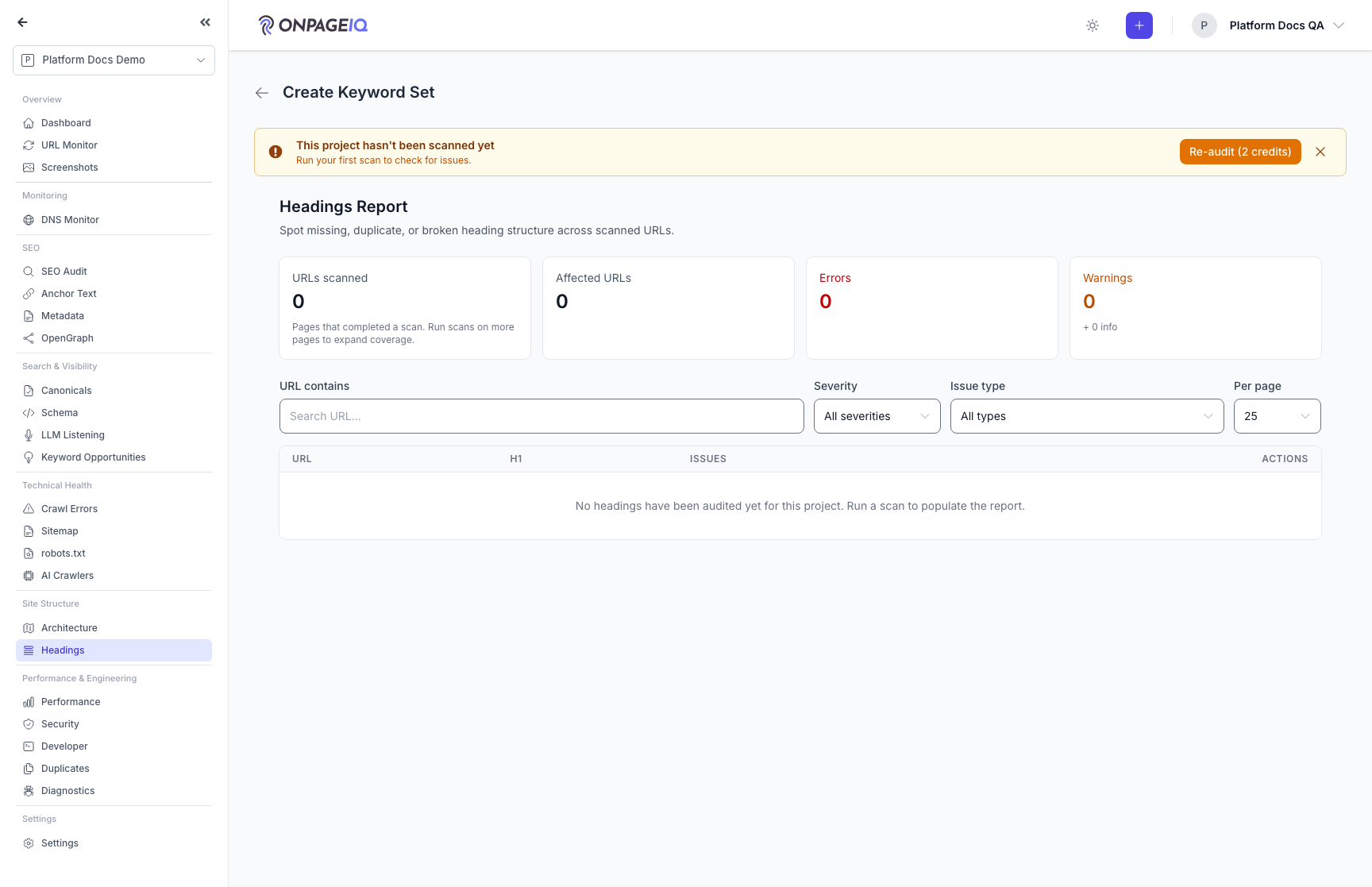
Step 1. Open headings report
Project-wide table of URLs with heading counts and issues.
What to do: Navigate to projects.headings.index
Where: projects.headings.index
Expected (pass)
- URLs from latest crawl listed
- Multiple H1 or skipped levels flagged
Negative cases (must fail safely)
- Addon off → EnsureAddonAvailable 403
-
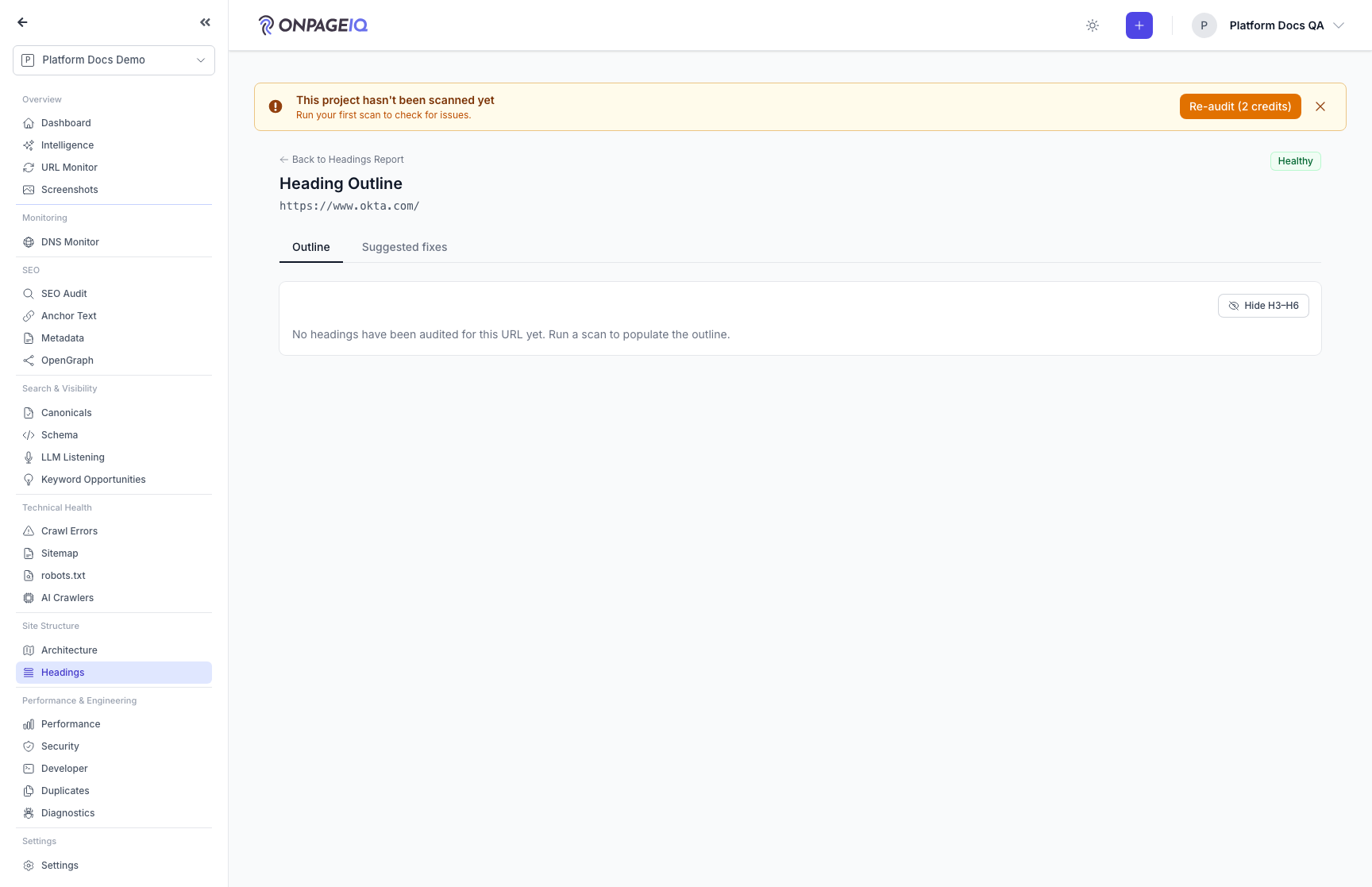
Step 2. Page outline detail
Nested tree of headings for one URL.
What to do: Click URL → projects.headings.outline
Where: projects.headings.outline
Expected (pass)
- Hierarchy matches source HTML
- Issue badges on problematic nodes
Negative cases (must fail safely)
- Cross-project url id → 404
-
Step 3. Export headings
Download project headings as CSV, JSON, or Markdown.
What to do: Hit projects.headings.export.csv (and json/md)
Where: projects.headings.export.csv
Expected (pass)
- 200 response with attachment
- Row count matches index
Related guides
SEO Page Surfaces
Metadata, OpenGraph, Schema, Sitemap, Canonicals, Anchor text, robots.txt, and AI crawlers (llm.txt).
Site Architecture
Visual crawl tree, click-depth analysis, orphan detection, and architecture export — plus the definitions behind every number on the Statistics panel.
Content Scans
Run spelling, grammar, SEO, and readability checks against project URLs.
H1 Above the Fold
Check whether each page’s primary H1 is visible without scrolling — with annotated desktop/mobile screenshots you can trust-but-verify in SEO Audit.
Editorial Review
Check live pages against your own editorial, brand and legal rules.