Duplicate Content
Find pages that say the same thing, see exactly what overlaps, and record how you fixed it.
User goal
Consolidate duplicate URLs and manage intentional duplicates.
- Tier
- Pro+ with duplicate-content flag
- Nav label
- Duplicates
- Route
- /projects/{project}/seo/duplicates
- Gates
- duplicate-content
Prerequisites
- seo-audit and duplicate-content flags
- Crawl with content hashes
QA focus
- Both flags required on routes
- Group detail scoped
- Whitelist patterns apply
Overview
Duplicate Content groups pages that say the same thing, so you can consolidate URLs and whitelist the overlaps you meant to publish.
What you get
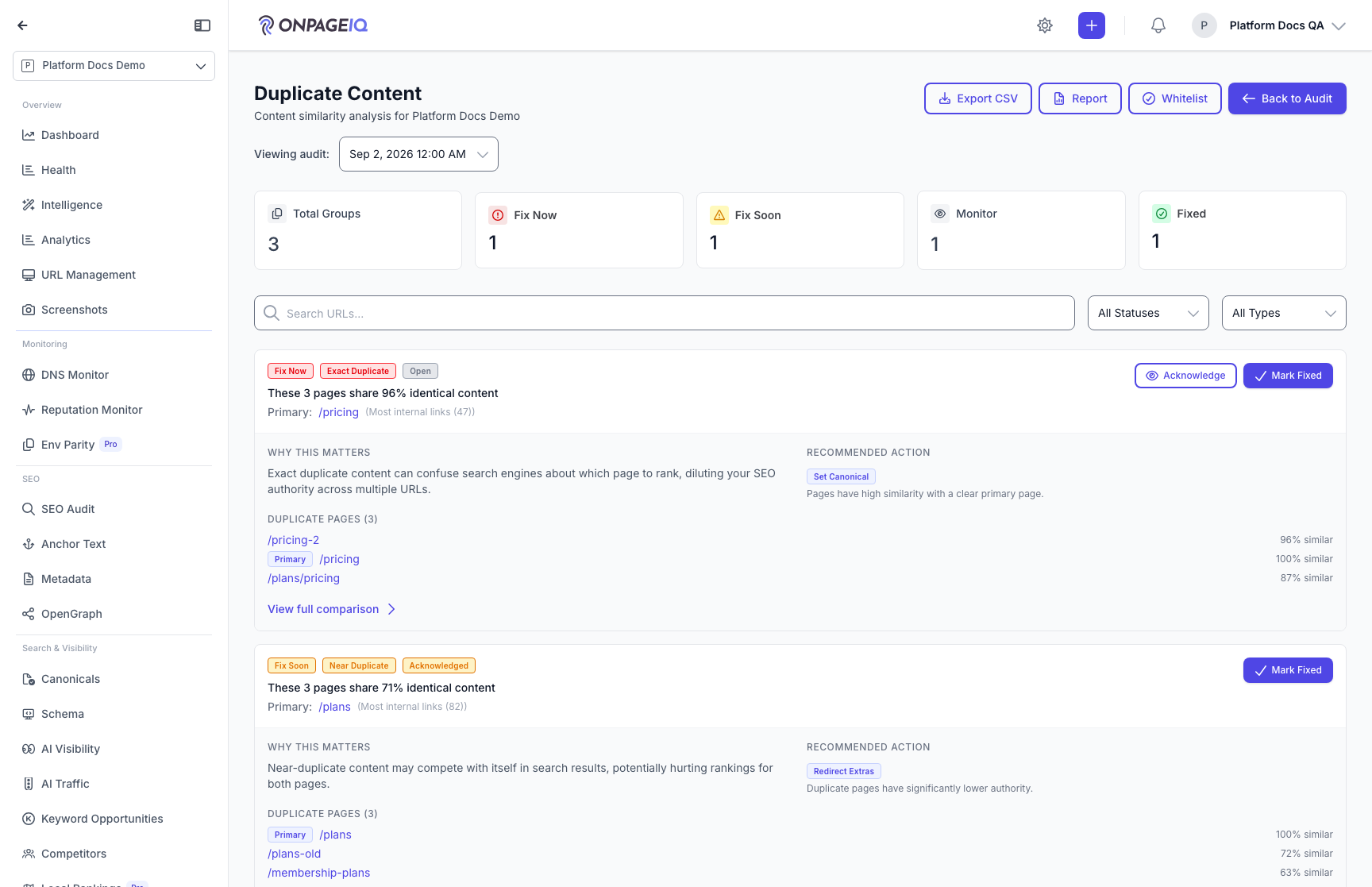
- A duplicates dashboard of groups, each with a priority, a similarity score, and a recommended action
- Group detail with a members table — click any row to open a side-by-side comparison against the primary page
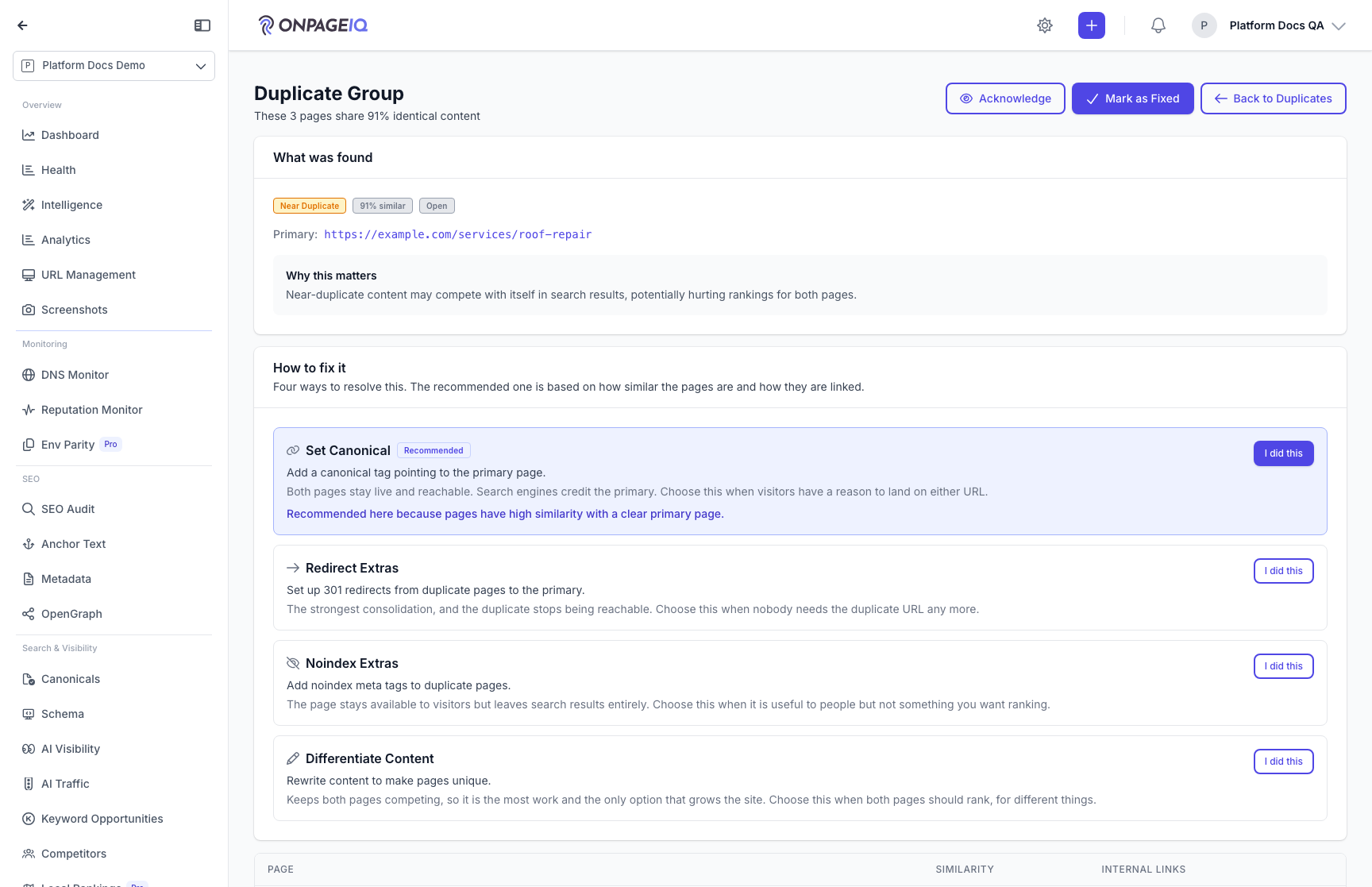
- A recommended action that states its trade-off, plus alternatives you can pick instead
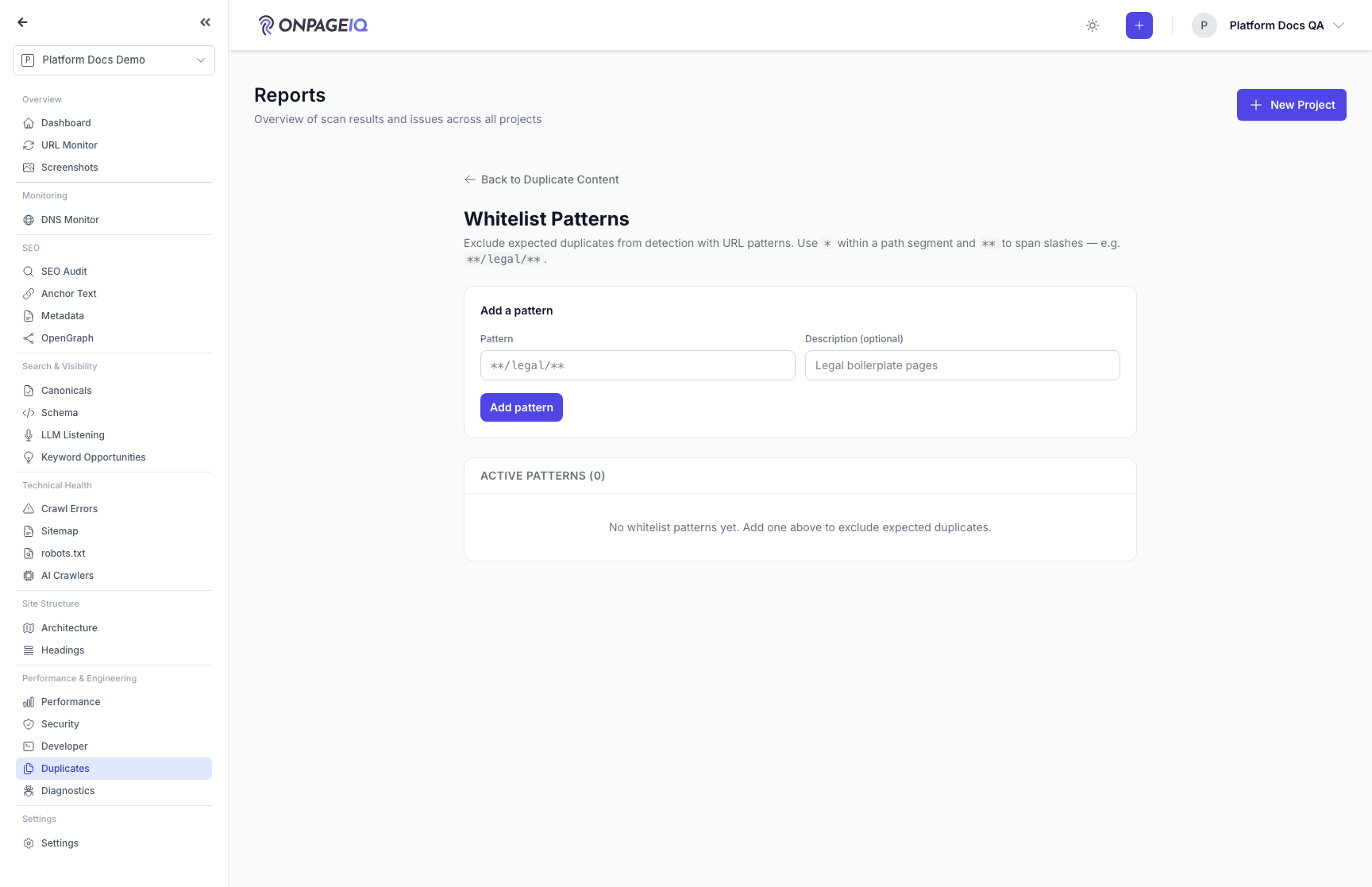
- Whitelist patterns to exclude URL patterns from detection
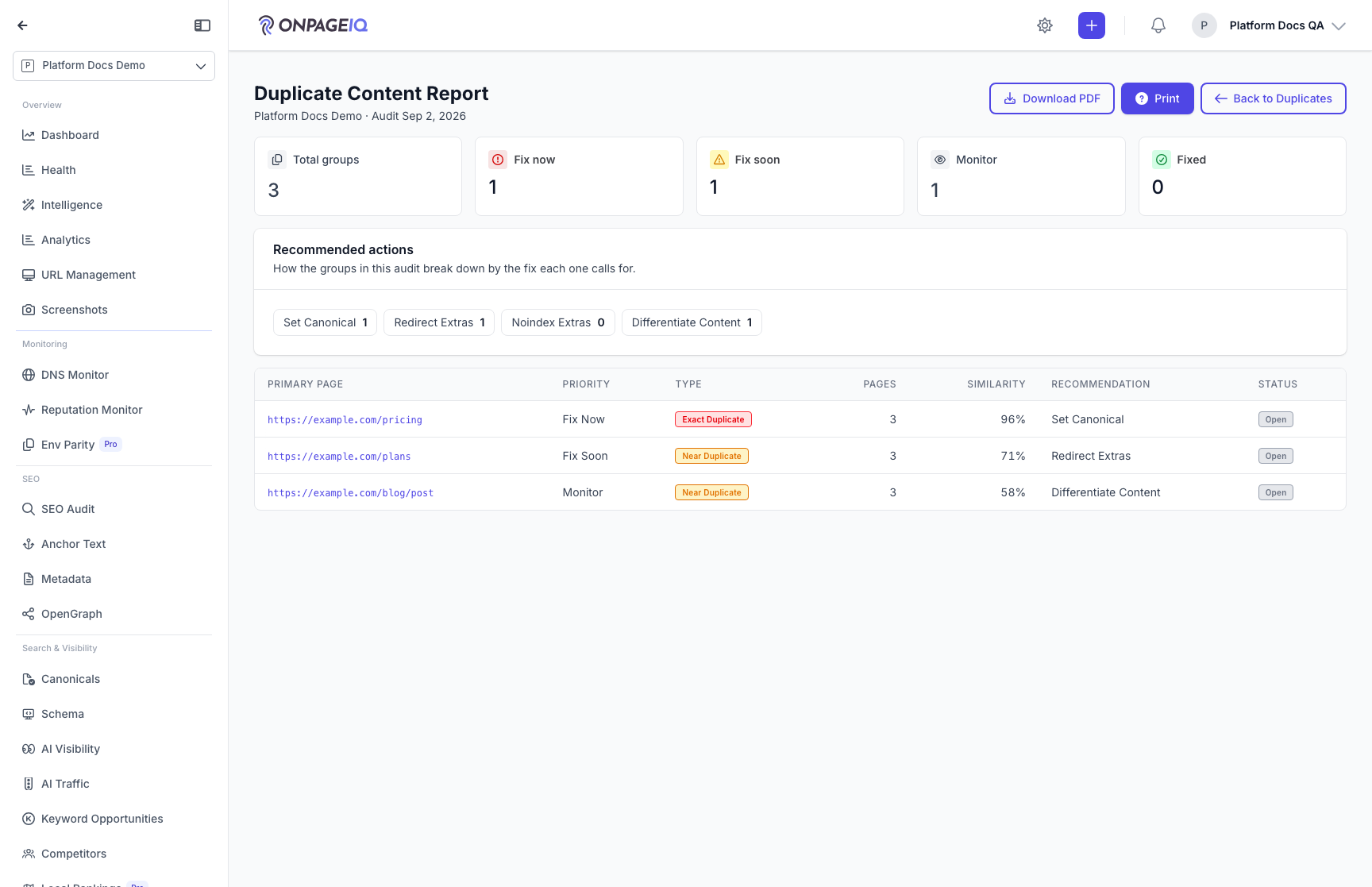
- A printable duplicate report
How the similarity score works
- Similarity is the Jaccard overlap of 5-word phrases shared by two pages. 0% means they share no phrasing; 90%+ means they are effectively the same page.
- Shared template is removed before comparison. A phrase appearing on 60%+ of sampled pages is treated as site furniture (banner, nav, footer boilerplate) and excluded, so two genuinely different pages are not reported as duplicates just for sharing a header.
- A safety net protects sites that legitimately republish one article everywhere: if stripping template would remove more than 75% of a page, the page is compared whole instead.
- Boilerplate detection needs at least 10 crawled pages. Below that, pages are compared whole.
- A page the audit could not re-read is left unmeasured rather than being scored 0%.
How it works
- Requires both SEO Audit and Duplicate Content features, plus a crawl with content hashes
- Open Duplicates from SEO Audit, drill into a group, and save whitelist patterns as needed
- Flag-off access returns a refusal rather than an empty page
Common issues & false alarms
- Flag off → 403 not empty Livewire 404
- Fewer than 10 crawled pages → template is not stripped, so scores read higher
- A page that failed to re-fetch shows as unmeasured, not 0%
Interactive guide
Step of
What to do
Where to find it
Expected (pass)
Negative cases
Tips
Screenshot pending capture
All steps (reference)
-
Step 1. Duplicates dashboard
Groups of pages that share wording, ordered by priority. Each card shows the similarity score, the recommended action, and why the group matters.
What to do: projects.seo-audit.duplicates
Where: projects.seo-audit.duplicates
Expected (pass)
- Groups listed with similarity score
- Priority and status badges render
Negative cases (must fail safely)
- Only seo-audit on → 403
-
Step 2. Group detail and comparison
The members table lists every page in the group. Click a row to open the comparison panel and see, line by line, which passages match the primary page.
What to do: projects.seo-audit.duplicate-detail
Where: projects.seo-audit.duplicate-detail
Expected (pass)
- All URLs in group same org project
- Clicking a member row opens the comparison panel
- Recommended action states its trade-off and offers alternatives
Negative cases (must fail safely)
- Foreign group id → 404
-
Step 3. The members table
Every page in the group with its similarity to the primary page and how many internal links point at it — the two numbers that decide which URL to keep.
What to do: projects.seo-audit.duplicate-detail
Where: projects.seo-audit.duplicate-detail

Expected (pass)
- Column headers for page, similarity and internal links
- Primary page marked and not clickable
-
Step 4. Whitelist patterns
Exclude URL patterns from duplicate detection — pagination, filter parameters, and other overlaps you publish on purpose.
What to do: projects.seo-audit.duplicate-whitelist
Where: projects.seo-audit.duplicate-whitelist
Expected (pass)
- Pattern saved
- Excluded URLs absent from new groups
-
Step 5. Duplicate report
A printable summary of the audit: totals, the priority split, and every group with its members. Printing hides the app chrome and prints the full table.
What to do: projects.seo-audit.duplicate-report
Where: projects.seo-audit.duplicate-report
Expected (pass)
- Report renders counts and top groups
- Print output excludes sidebar and top bar