Canonicals
Audit dual-source canonical tags, triage issues in a slide-over, validate against GSC URL Inspection, map relationships, and export CSV — nested under Search & Visibility.
User goal
Find missing/mismatched/header-tag/GSC canonical problems, resolve or ignore them, and export evidence for CMS fixes.
- Tier
- Pro+
- Nav label
- Canonicals
- Route
- /projects/{project}/seo/canonicals
- Gates
- seo-audit
Prerequisites
- seo-audit tier/flag
- Completed site architecture crawl (and preferably a completed SEO audit for issue lists)
- Optional: Google Search Console connected for URL Inspection enrichment
QA focus
- Slide-over deep link selectedIssueId is project/audit scoped (IDOR-safe)
- Found-in shows Tag / Header / Both; header vs tag mismatch issues appear when sources disagree
- GSC banner uses inspection coverage; disconnected stays non-blocking
- Map tab respects canonical-map Pennant flag (default on)
- CSV exports include found-in + dual-source + GSC columns when present
- Rules are suggestion/export-only and require edit_project to mutate
Overview
Canonicals helps you find and fix conflicting canonical signals across the site. Open it under Search & Visibility → Canonicals, or from SEO overview and Metadata callouts — it is not a top-level sidenav tab.
What you get
- Dual-source detection from HTML
<link rel="canonical">and HTTP Link headers, with disagreements flagged - Issue triage in a slide-over: found-in, both sources, GSC google/user canonicals when synced, plus resolve / ignore / reopen (and bulk actions on the table)
- GSC validation that prefers URL Inspection rows and falls back to cached indexed URLs
- A Map relationship graph when the optional canonical-map feature is on (default on)
- Rules that suggest regex → canonical templates for export only — they never write to the live site
How it works
- Run a crawl or architecture pass first; issue triage works best after a completed SEO audit
- Review Overview, Issues, Chains, Map, and Rules tabs
- Export mapping CSV (including GSC columns when inspection data exists); viewers can export, editors manage rules
Common issues & false alarms
- Empty dashboard → run a crawl/architecture first; issue triage prefers a completed SEO audit
- Map missing → org deactivated canonical-map; Issues/GSC/slide-over still work
- GSC columns empty in mapping CSV → no inspection row for that URL (or URL only differs by index.html before normalize alignment)
- Cannot mutate rules → needs edit_project; viewers can still export
Interactive guide
Step of
What to do
Where to find it
Expected (pass)
Negative cases
Tips
Screenshot pending capture
All steps (reference)
-
Step 1. Open Canonicals
From the project sidenav, open Search & Visibility → Canonicals. Or use the Canonical Health callout on SEO Audit / Metadata. Tabs: Overview, Issues, Chains, Map, Rules.
What to do: GET /projects/{project}/seo/canonicals
Where: projects.seo-audit.canonical
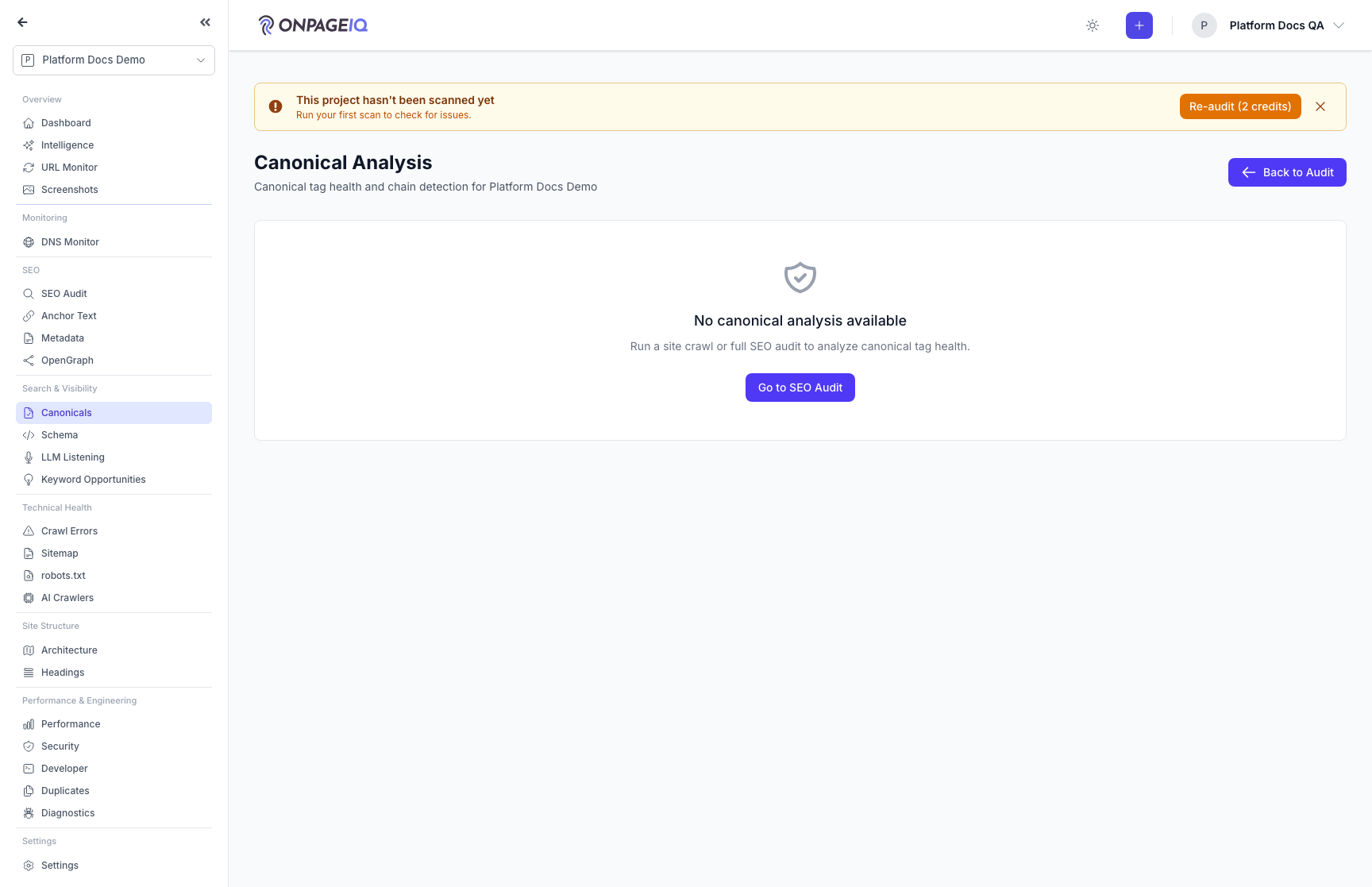
Expected (pass)
- Page 200 with seo-audit
- Summary cards and segmented tabs render
Negative cases (must fail safely)
- Flag off → 403
-
Step 2. Triage an issue in the slide-over
On Issues, open Details. Confirm found-in (Tag / Header / Both), dual-source URLs, GSC fields when present, and suggested fix. Resolve, Ignore, or Reopen. Share with ?selectedIssueId=…
What to do: Issues tab → Details → resolve/ignore (requires edit_project)
Where: projects.seo-audit.canonical
Expected (pass)
- Slide-over (sheet on mobile), not a modal
- Foreign issue IDs ignored
- Unsafe URLs not rendered as hrefs
Negative cases (must fail safely)
- Viewer without edit_project → mutations forbidden
-
Step 3. Check GSC enrichment
With GSC connected and URL Inspection synced, the banner shows inspection coverage and mismatches. Disconnected projects still see crawl findings with a connect prompt.
What to do: Connect GSC if needed → review banner + GSC Mismatch issues
Where: projects.seo-audit.canonical
Expected (pass)
- Inspection count / last inspected when data exists
- GSC never blocks scan findings
-
Step 4. Map, rules, and export
Use Map for relationship graph (optional flag). Create suggestion-only regex rules and Test pattern. Export Issues/Mappings CSV — columns include Found In, dual-source, and GSC Google/User when available.
What to do: Map / Rules tabs → Export dropdown
Where: projects.seo-audit.canonical
Expected (pass)
- Map hidden when canonical-map off
- CSV includes new columns
- Rules do not write to the live site
Negative cases (must fail safely)
- Pattern/template length limits reject oversized input
Related guides
SEO Audit
Site-wide SEO audit dashboard with crawl status, scores, and deep-dive sub-routes.
SEO Page Surfaces
Metadata, OpenGraph, Schema, Sitemap, Canonicals, Anchor text, robots.txt, and AI crawlers (llm.txt).
Site Architecture
Visual crawl tree, click-depth analysis, orphan detection, and architecture export — plus the definitions behind every number on the Statistics panel.
H1 Above the Fold
Check whether each page’s primary H1 is visible without scrolling — with annotated desktop/mobile screenshots you can trust-but-verify in SEO Audit.