Content Scans
Updated · Aug 27, 2026Run spelling, grammar, SEO, and readability checks against project URLs.
What changed
Two changes to how scores behave and how you reach a comparison. Re-scanning a page you have not touched now lands on the same score far more often — content scoring used to sample, so an unchanged page could score 78 one day and 74 the next, and the trend showed movement nobody could explain. Pinning that moved every score once, on 24 August 2026; the trend marks that date and a comparison spanning it says so, because a one-time change on our side must not read as a change to your site. Separately, the scan comparison now has a way in: the scan results page offers "Compare with an earlier scan" whenever there is genuinely something to compare. The comparison page, its diff and its PDF export already existed and nothing linked to them, so the only way in was typing the address.
User goal
Validate page copy quality and ship fixes from actionable issue lists.
- Tier
- Free (spelling); Pro+ (grammar, SEO, readability)
- Nav label
- New Scan
- Route
- /scans/new
- Gates
- —
Prerequisites
- Project with at least one URL
- Credits available
QA focus
- Credit reservation/refund on failure
- Issue categories match check types
- Scan policy blocks cross-org
Overview
Content scans run spelling, grammar, SEO, and readability checks against your project URLs as background jobs, so you can keep working while results come in.
What you get
- A live credit estimate before you submit
- Per-URL results with severity, filters, and context excerpts
- Exports from the scan results page
- Scan comparison to spot new, fixed, and unchanged issues
How it works
- Open New Scan, pick a project, URLs, and check types
- Submit to queue the jobs; credits are reserved per pricing rules
- Review completed results, then optionally compare against a baseline scan
Comparing two scans
The scan results page offers Compare with an earlier scan whenever there is something real to compare against: an earlier completed scan of the same page that still has its stored result. If the button is not there, no such scan exists — a first scan, or a failed one, has nothing to sit beside.
The comparison always reads older → newer, so an improvement is never reported
as a decline. You can share the link: ?baseline= on the address carries the
scan you picked.
Why a score can move on a page you did not touch
Scoring used to sample, so the same unchanged page could score 78 one day and 74 the next. That is fixed — repeat scans of unchanged copy now agree far more often. It is not a guarantee of an identical number every time, and a change to the underlying model can still move a score.
Pinning it moved every score once, on 24 August 2026. The trend chart marks that date, and a comparison that spans it says so directly. Where you see that note, part of the difference is our change, not your page.
Common issues & false alarms
- Queue stalled
- Browsershot failures on headless env
- A score changed but the page did not → check whether the comparison spans 24 August 2026; the page says so when it does
- No "Compare with an earlier scan" button → this is the page's first completed scan, or the earlier one failed and stored no result
Interactive guide
Step of
What to do
Where to find it
Expected (pass)
Negative cases
Tips
Screenshot pending capture
All steps (reference)
-
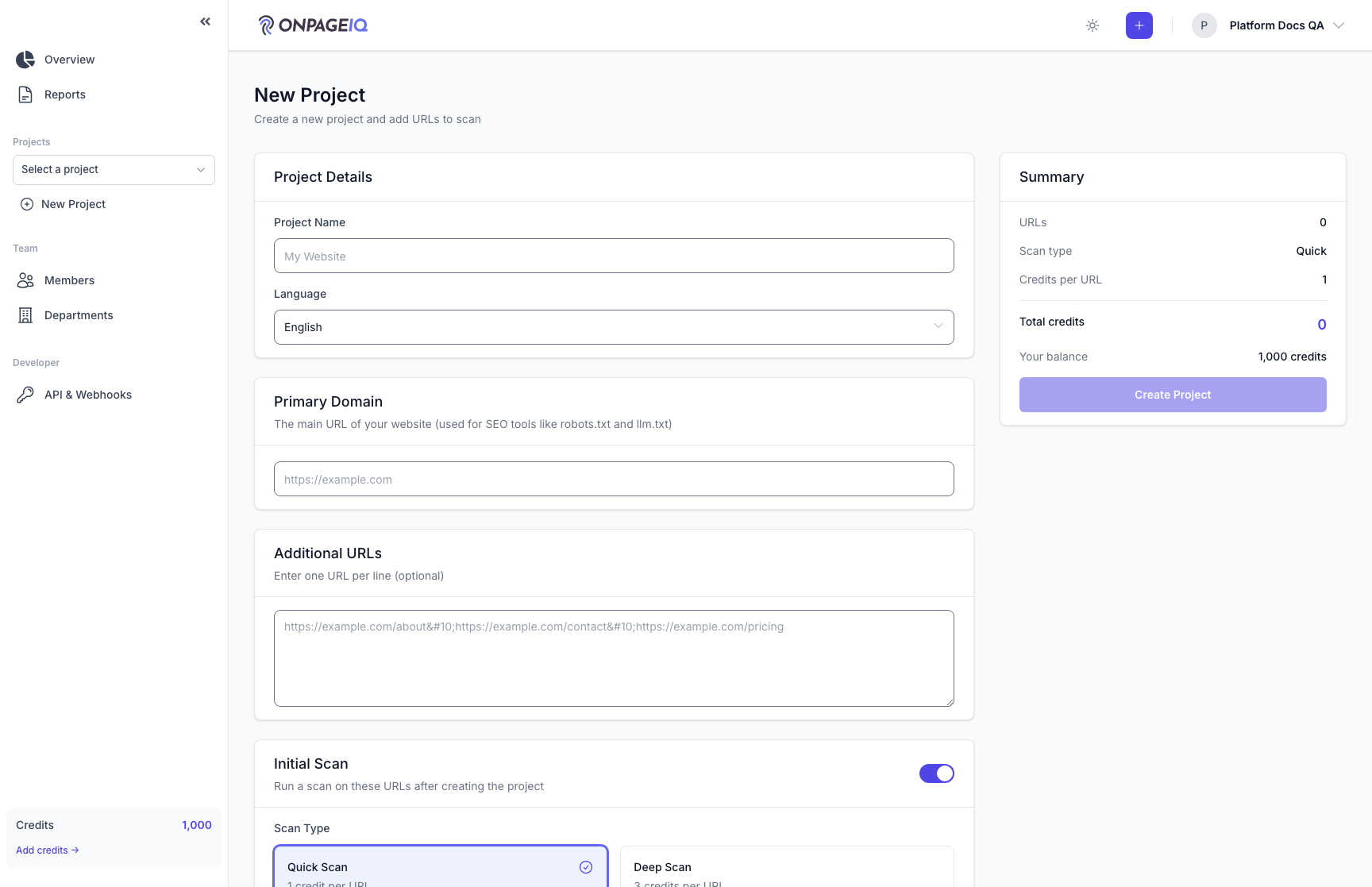
Step 1. Open scan creator
Select project, URLs, and check types with live credit estimate.
What to do: GET /scans/new
Where: scans.create
Expected (pass)
- Form loads
- Projects dropdown org-scoped only
Negative cases (must fail safely)
- No credits → submit disabled or error
-
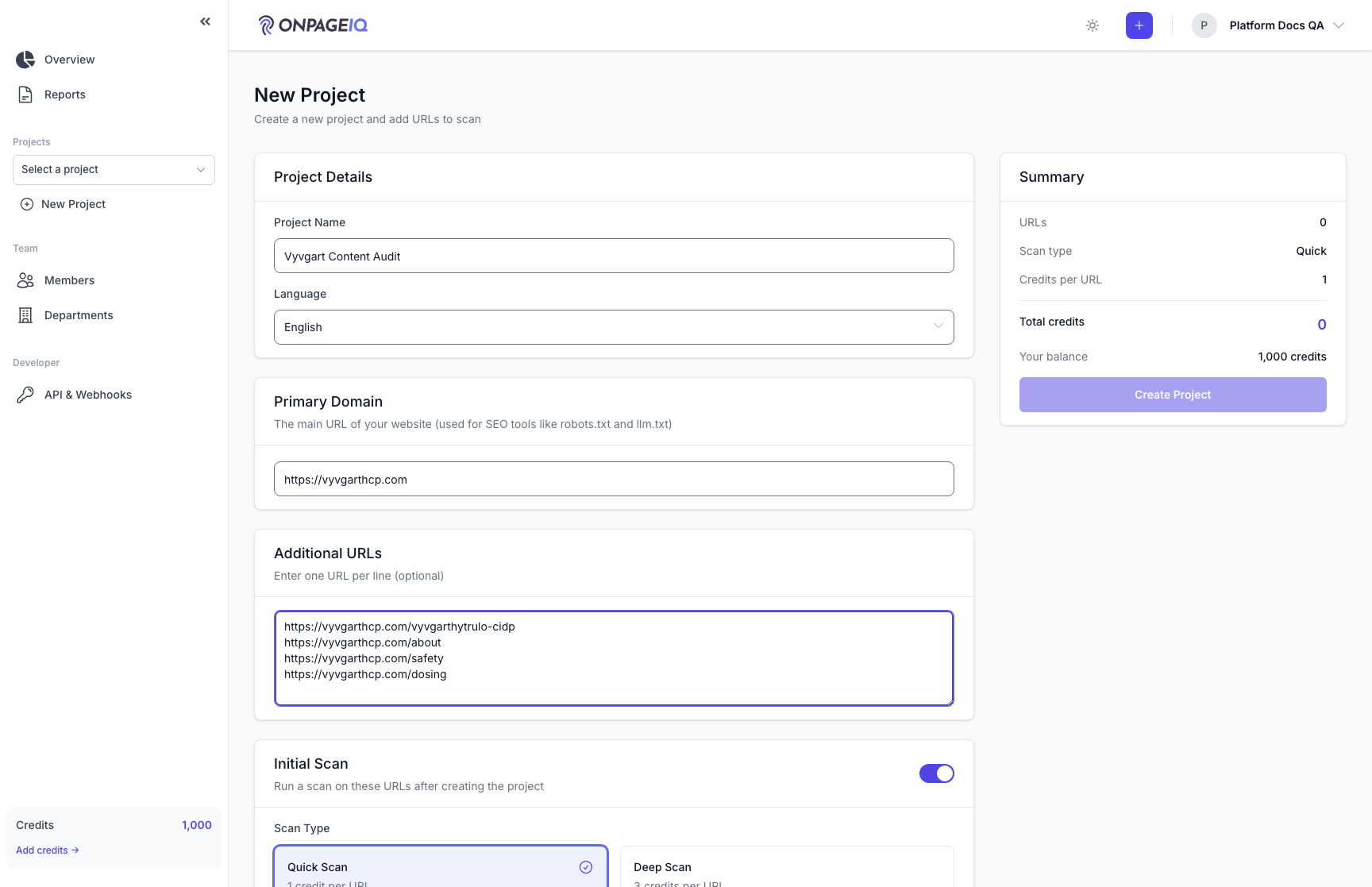
Step 2. Submit scan
Dispatch jobs per URL; balance reserved per pricing rules.
What to do: Submit form with 1+ URLs
Where: scans.create
Expected (pass)
- Redirect to scans.show
- Status queued/processing
Negative cases (must fail safely)
- Invalid URL in list → validation error
-
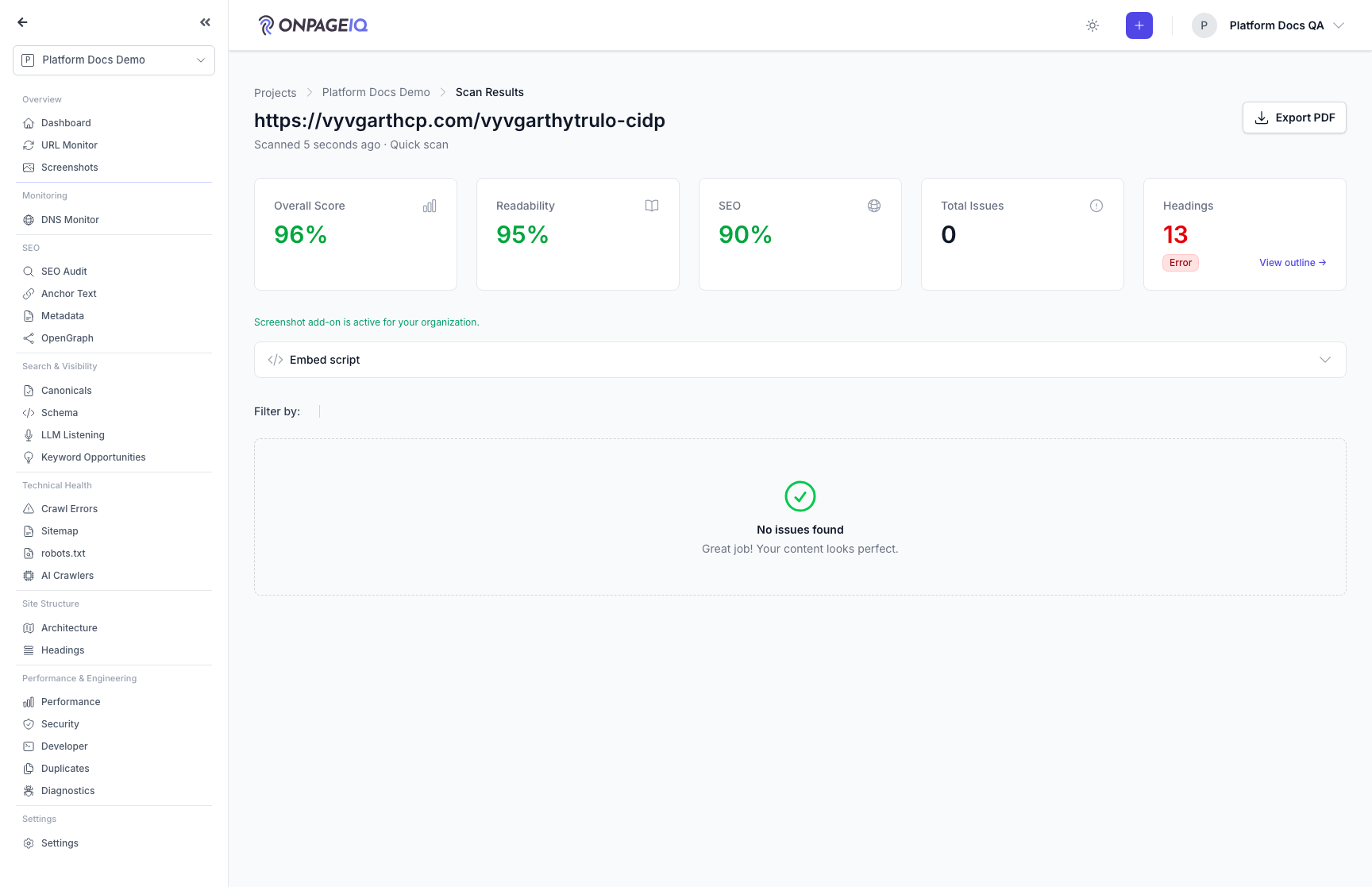
Step 3. Review results
Per-URL results, filters, issue severity, and context excerpts.
What to do: Open scans.show; expand issue row
Where: scans.show
Expected (pass)
- Completed status
- Issues match check types enabled
Negative cases (must fail safely)
- Foreign scan id → 403/404
-
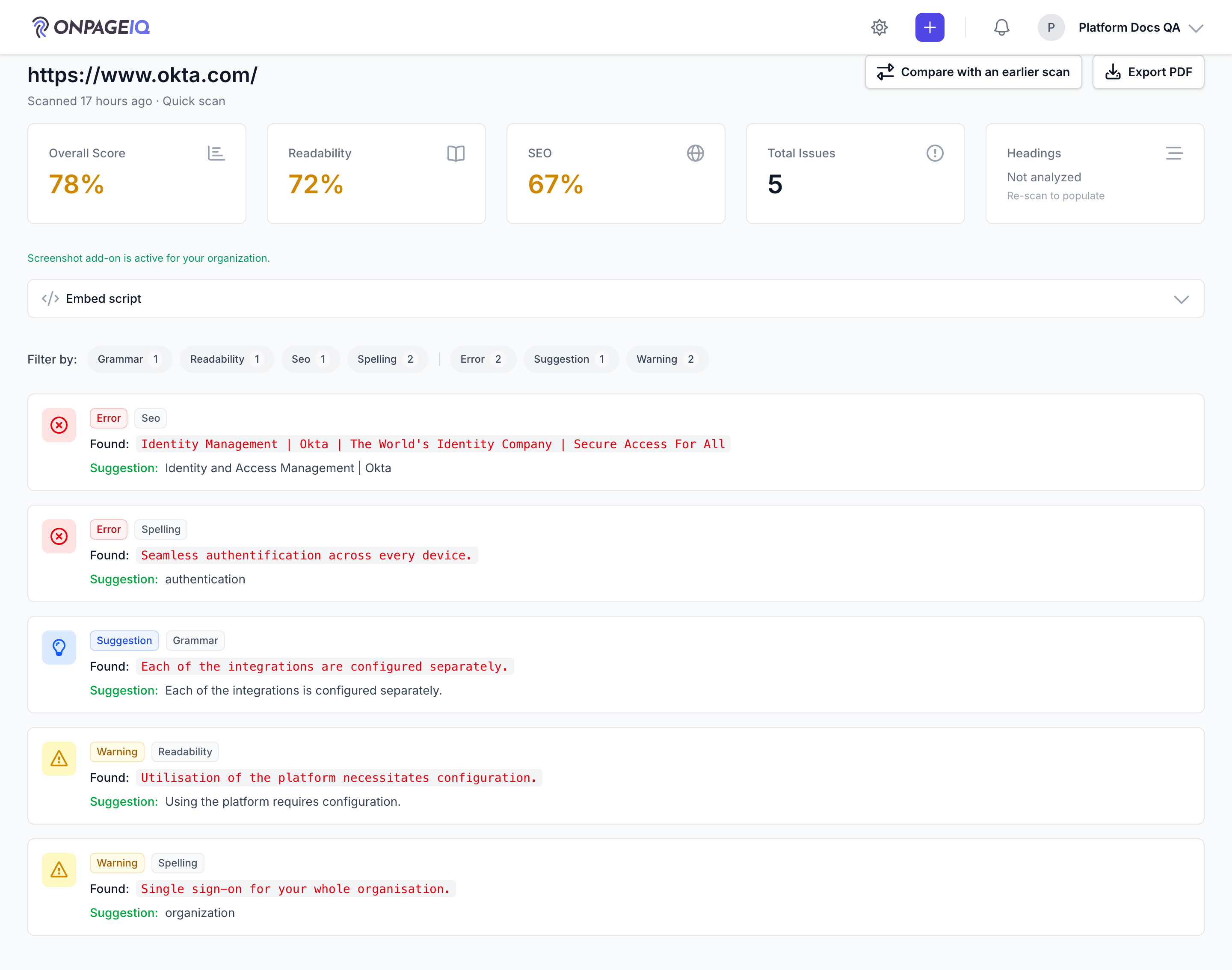
Step 4. Open a comparison from the results page
The scan results header offers "Compare with an earlier scan". It appears only when there is genuinely something to compare: an earlier completed scan of the same page that still has its stored result. On a page's first scan, or beside a failed one, there is no button rather than a link into an empty picker.
What to do: Open a completed scan on a page that has been scanned before → click "Compare with an earlier scan".
Where: scans.show
Expected (pass)
- The button appears next to Export PDF on a scan that has an earlier completed scan of the same page
- It is absent on the page's first scan, on a failed scan, and on a scan still running
Negative cases (must fail safely)
- Scan still in progress → no button, and the page still loads with its progress state
-
Step 5. Compare scans
Diff two scans to see what is new, what is fixed, and what has not moved. The baseline list offers only scans older than the one you are viewing, so the comparison always reads older → newer and an improvement is never shown as a decline. If the two scans sit either side of 24 August 2026, a note says part of the difference is our scoring change rather than your page.
What to do: scans.compare with baseline scan
Where: scans.compare
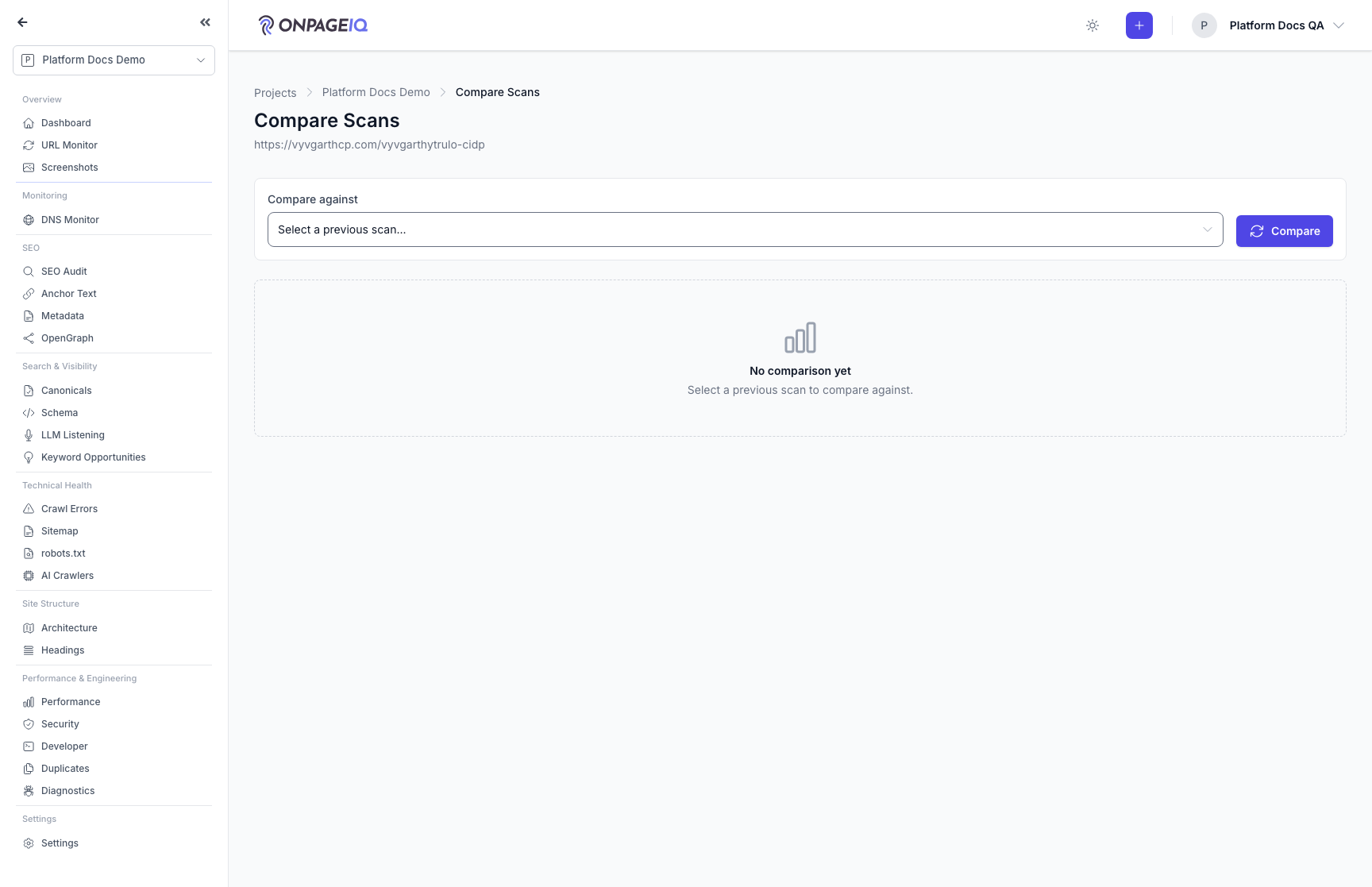
Expected (pass)
- New/fixed/unchanged issues grouped
- Only earlier scans of the same page appear in the baseline list
- A comparison spanning the scoring change carries the note explaining it
Negative cases (must fail safely)
- Baseline from other org → blocked, and indistinguishable from an id that does not exist
- A scan id that stored no result → reported as not comparable, not an error page
Related guides
Getting Started
First-run orientation: log in, create a project, run a content scan, and read results.
Issues Workflow
Triage, assign, and resolve spelling/SEO/security issues via kanban and filters.
Scheduled Scans
Recurring scan schedules with credit reservation and refund on skip.
Exports & Reports
PDF/CSV/JSON/XLSX exports for scans, issues, metadata, and org reports.